

Performance starts with measurement.
Game Optimization Guide

Content
Here's something most studios learn the hard way: gorgeous graphics can't save a choppy game. When Respawn analyzed player behavior for Apex Legends, they found players stuck around 23% longer when the game maintained 60fps versus sessions where frame rates dropped to 40fps. Smooth gameplay beats pretty screenshots every single time.
The money tells the same story. Scan through Steam reviews for popular titles and you'll spot "lag," "stuttering," and "optimization" in roughly one-third of negative reviews. Visual quality complaints? Those show up in barely 12% of bad reviews. Players might grumble about art style, but they rage-quit over performance problems.
This creates tricky situations during development. You're testing a new particle effect in isolation—looks fantastic. Then you spawn twenty of them in a boss fight and everything falls apart. I've watched entire art teams rebuild effects because nobody checked performance until integration testing.
Mobile makes these stakes even higher. Run a demanding game on a phone for fifteen minutes and watch thermal throttling kick in. Performance can crater by 40%, turning your carefully balanced gameplay into a slideshow. For free-to-play games banking on long sessions, that's a revenue disaster waiting to happen.
Common Performance Bottlenecks Killing Your Frame Rate
Most developers waste weeks optimizing the wrong things. They'll refactor an entire system that contributes 2% to frame time while the real culprit sits untouched. Diagnostic discipline beats intuition every time.
CPU-Bound vs GPU-Bound Scenarios
Run this test right now: drop your resolution to half. Did your frame rate double? Congratulations, you're GPU-bound. Frame rate barely budged? Your CPU is the bottleneck.
CPU problems usually hide in logic systems running every single frame. I've seen games update pathfinding for 50 enemies simultaneously, slamming the CPU for no good reason. Spread those calculations across 12 frames instead. Each enemy still updates every 200ms, but you've eliminated the massive spike.
GPU bottlenecks show up as overdraw—rendering the same pixel dozens of times. Stack five transparent smoke effects and you might process each covered pixel 20+ times per frame. That fancy particle system looks great in your editor but murders performance when players actually use it.
Here's the annoying part: bottlenecks shift between scenes. Outdoor environments might max out your GPU while crowded interior spaces choke your CPU. Profile different scenarios separately or you'll optimize for the wrong case.

Author: Megan Lewis;
Source: quantumcatanimation.com
Memory Leaks and Allocation Patterns
Memory leaks don't just waste RAM—they create garbage collection pauses that freeze your game for 16-50 milliseconds. At 60fps, that's multiple frames gone. Players notice that stutter.
Watch memory usage during extended play sessions. Climbs steadily without leveling off? You're leaking something. Common suspects include event subscriptions that never clean up, cached references pointing to destroyed objects, and texture atlases that reload without releasing the old version.
Allocation frequency matters more than total size for many games. Loading 10MB during level transitions barely registers. Allocating 10KB every frame creates 600KB of garbage per second, forcing constant collections. String concatenation in update loops? Each concatenation allocates new memory in C#. Most developers don't realize how many "harmless" operations trigger allocations.
Performance is a feature. If your game doesn't run well, players won't see your beautiful art or experience your clever mechanics. They'll just see the refund button.
— Tim Sweeney, CEO and Founder of Epic Games
Essential Memory Management Strategies for Stable Performance
Most performance disasters trace back to poor memory handling. Fix your allocation patterns and half your problems disappear.
Object Pooling Implementation
Object pooling sounds complicated but it's just reusing objects instead of constantly creating new ones. Rather than instantiate a bullet prefab with every shot, grab one from a pre-allocated pool and return it when done.
The performance difference scales with spawn rate. Ten spawns per second might save 2-3ms per frame. One hundred spawns per second in a bullet-hell game? You'll save 15-20ms—that's the gap between smooth gameplay and unplayable mess.
Here's what actually works: - Allocate pools during load screens when frame time doesn't matter - Size based on profiled maximum usage plus 20% breathing room - Reset all object state when returning to pool (transform, velocity, component states) - Log when pools run dry to catch undersizing issues
Picture a hit effect particle system: allocate 50 instances at startup, activate one per hit, automatically return after half a second. Profile whether you ever use all 50 simultaneously. Hitting 30 max? You over-allocated. Constantly maxing out? Increase the pool size.

Author: Megan Lewis;
Source: quantumcatanimation.com
One trap: pooling adds complexity. Makes perfect sense for projectiles, effects, and UI elements that spawn constantly. Pooling a boss that appears once per level? You're adding code for zero benefit.
Garbage Collection Optimization
You can't eliminate garbage collection pauses in managed languages, but you can control when and how often they happen.
Stop allocating in hot paths—code running every frame or multiple times per frame. Text concatenation in loops? Switch to StringBuilder for dynamic strings. Calling GetComponent repeatedly? Cache that reference once. LINQ queries in Update() methods allocate enumerators with every call—replace them with for loops.
Batch your allocations when possible. Loading a level that needs 50MB across 10,000 objects? Allocate it all at once. The collector handles one large pass better than constant small ones creating fragmentation.
For managed languages, consider struct types for lightweight data (Vector3, Color) instead of classes. Structs live on the stack when used locally, avoiding heap allocation entirely. Trade-off: copying structs costs more than passing class references, so keep structs small.
Console-specific tip: many platforms let you manually trigger garbage collection. Force collection during load screens or pause menus when frame time doesn't matter, preventing automatic collections during combat.
Frame Rate Optimization Techniques That Actually Work
These techniques directly cut frame time through smarter rendering. Each delivers measurable improvements when applied to actual bottlenecks.
LOD (Level of Detail) Systems
LOD systems swap detailed models for simplified versions as distance increases. A character might use 50,000 triangles up close, 10,000 at medium distance, and 2,000 triangles when far away.
Performance gains depend on scene density. Picture a racing game rendering 20 cars simultaneously. Reducing distant cars from 40,000 to 8,000 triangles each? You just eliminated 640,000 triangles per frame. At 60fps, that's 38 million fewer triangles every second.
Three decisions define LOD implementation: - Distance thresholds: Start conservative (switch to LOD1 at 30 meters, LOD2 at 60 meters) then tune based on profiling - Triangle budgets: Each LOD level should cut triangles by 40-50% from the previous tier - Transition methods: Pop-in looks amateur hour—use dithered transitions or time switches during camera movement
Don't forget LOD for shadows and reflections. Shadow maps don't need full geometry detail at distance. Drop shadow resolution or disable shadows entirely beyond certain ranges.
Occlusion Culling and Draw Call Reduction
Occlusion culling skips rendering objects hidden behind other geometry. A building blocks 20 objects behind it? Why send those 20 draw calls to the GPU?
Automated occlusion (Unity's Umbra, Unreal's precomputed visibility) handles static geometry well but requires baking time. Dynamic occlusion culling gets tricky—you need fast spatial queries running every frame to determine visibility.
Simpler approach for many games: manual occlusion volumes. Place trigger zones that disable room contents when players can't possibly see them. A ten-room dungeon might load everything but only render 2-3 rooms at once based on player position.
Draw call counts often matter more than raw polygon numbers. Rendering 100 objects with 1,000 triangles each (100 draw calls) frequently runs slower than one object with 100,000 triangles (one draw call). Batch objects sharing materials. Combine static meshes at build time. Use texture atlases to consolidate materials.
Target guidelines: stay under 1,000 draw calls per frame on mobile, under 3,000 on PC and consoles. Modern APIs like Vulkan and DX12 push higher, but optimization still pays dividends.
Shader Optimization Basics
Shaders execute on every pixel or vertex, so small inefficiencies multiply catastrophically. A shader taking 0.1ms longer per draw call costs 100ms per frame with 1,000 draw calls.
Watch for these shader mistakes: - Excessive precision: Mobile GPUs penalize high-precision (32-bit) operations—stick to medium precision (16-bit) for colors and most math - Complex pixel shaders on large surfaces: That gorgeous water shader covering half your screen processes millions of pixels each frame—simplify it or reduce coverage - Redundant calculations: Move per-object math to vertex shaders or CPU side—don't recalculate lighting vectors in pixel shaders when they're constant across surfaces
Quick shader test: temporarily replace complex materials with basic unlit shaders. Frame rate jumps 20%? Found your problem.
Shader variants create hidden costs. A shader with 10 keywords generates 1,024 possible variants. Compile times explode and memory usage balloons. Limit to 4-5 keywords per shader maximum.
Profiling Tools Every Developer Should Use
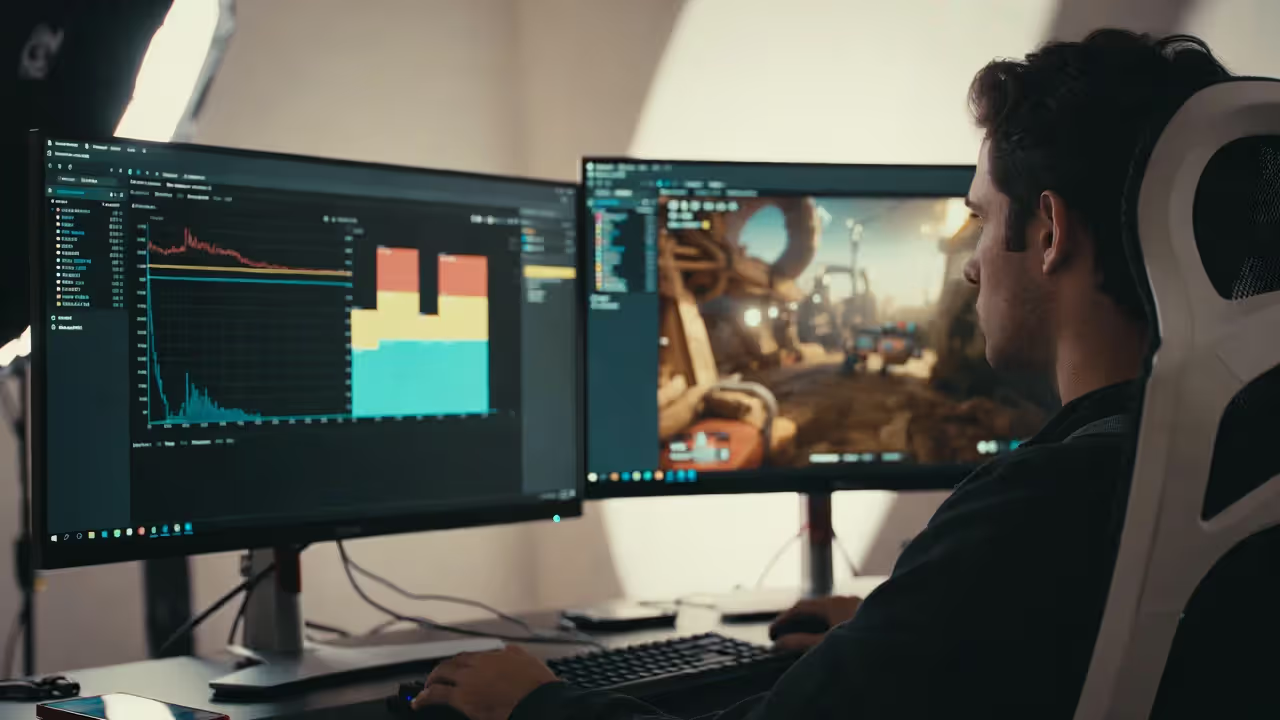
Guessing what needs optimization burns time you don't have. Profilers show exactly where each frame spends its milliseconds, transforming optimization from guesswork into science.
Every profiler breaks down frame time by system—how many milliseconds physics consumes, how long rendering takes, where your custom code sits. Look for anything eating more than 2ms that shouldn't. Physics taking 8ms? That's your optimization target. Rendering taking 4ms? Acceptable for most 60fps targets.
| Tool | Supported Platforms | Ideal Application | Difficulty Level | Price Point |
| Unity Profiler | Unity on all platforms | Performance analysis and memory tracking across projects | Moderate learning investment | Included with Unity |
| Unreal Insights | Unreal Engine builds | Deep CPU/GPU analysis plus networking diagnostics | Substantial learning curve | Included with Unreal |
| RenderDoc | Windows, Linux, Android | GPU debugging and shader inspection with draw call analysis | Moderate difficulty | Open source and free |
| PIX | Windows and Xbox | DirectX-focused GPU profiling with detailed frame timelines | Moderate to steep | Free from Microsoft |
| Instruments | macOS and iOS | Apple platform optimization with Metal performance analysis | Moderate complexity | Free with Xcode |
Author: Megan Lewis;
Source: quantumcatanimation.com
Learning to read profiler output takes practice. Focus on spikes, not averages. A system averaging 2ms but spiking to 12ms every few seconds causes visible hitching. Investigate spike causes—usually lazy initialization, cache misses, or garbage collection triggering.
Always profile on target hardware, never just your dev machine. A high-end rig with an RTX 4090 won't reveal issues plaguing mid-range GPUs. Buy or borrow representative hardware for each target platform. That $300 Android phone reveals more problems than your $1,200 flagship.
Compare metrics before and after every optimization. Modified your particle system? Profile it again. Frame time didn't improve by at least 0.5ms? The change might not justify the added complexity.
Platform-Specific Optimization Considerations

Author: Megan Lewis;
Source: quantumcatanimation.com
Each platform brings unique constraints that reshape optimization strategies. Techniques crushing it on PC might fail spectacularly on mobile.
Mobile devices suffer from thermal throttling—performance degrades as hardware heats up. Your game might hit 60fps initially but drop to 30fps after ten minutes as the CPU throttles down to prevent overheating. Test sustained performance over 20-30 minute sessions, not just peak numbers. Reduce intensity over time or implement dynamic quality scaling that lowers settings as temperature climbs.
Mobile also means incredible hardware diversity. You're not optimizing for one specification—you're targeting hundreds of different device configurations. Build scalable quality settings and detect device capabilities at startup. A 2019 phone needs completely different settings than a 2024 flagship.
Consoles offer fixed hardware specs, making optimization more predictable. You can tune specifically for PlayStation 5's GPU characteristics or Xbox Series X's CPU architecture. However, platform certification requires hitting strict performance targets: locked 60fps with no drops below 55fps, or locked 30fps with zero variance. Miss these targets and release gets delayed.
Console optimization centers on frame time consistency. A game averaging 16.6ms (60fps) but varying between 14ms and 19ms fails certification. Implement frame pacing and v-sync to maintain rock-solid consistency.
PC optimization demands scalability. Support everything from potato laptops to enthusiast rigs through quality presets. Implement auto-detection selecting appropriate settings based on detected GPU. Expose advanced options for enthusiasts but provide sensible defaults for casual players.
PC-specific concerns: shader compilation stuttering (pre-compile or use pipeline caching), ultrawide resolution support, uncapped frame rate options, and DLSS/FSR upscaling integration for supported hardware.
Memory constraints vary dramatically. Mobile might have 3-4GB total system memory. Consoles provide 13-16GB shared between CPU and GPU. PC ranges from 8GB budget systems to 64GB workstations. Design asset streaming systems working within the lowest target or implement aggressive quality scaling.
Frequently Asked Questions About Game Optimization
Treating game optimization as a final polish step instead of an ongoing discipline creates the performance disasters you see in launch-day reviews. Developers shipping smooth, responsive games aren't magically more talented—they're more methodical. They profile before making assumptions, measure every change, and treat performance as a core feature from day one.
Begin by understanding actual bottlenecks through profiling data, not gut feelings. Implement memory management approaches like object pooling and garbage collection control to eliminate hitching. Apply rendering optimizations such as LOD systems and occlusion culling where profiling proves they'll make measurable differences. Test on actual target hardware throughout development, not just high-end development workstations.
The techniques covered—from distinguishing CPU versus GPU bottlenecks to managing platform-specific thermal considerations—provide a systematic foundation for performance improvement. Every game presents unique technical challenges, but the diagnostic methodology stays constant: measure current performance, optimize the biggest bottlenecks first, measure again to confirm improvements, then repeat.
Players rarely consciously notice great performance, but they absolutely notice poor performance. Smooth frame rates, responsive input, and stable performance during extended sessions build player trust and drive engagement. That's not just solid engineering—it directly impacts your bottom line.