

Professional game testing in action
Game Testing Guide

Content
Most players never see the hundreds of hours that go into making sure a game doesn't crash when you jump off a cliff backwards while the inventory menu is open. That's the world of game testing—a discipline that sits at the intersection of technical rigor, creative feedback, and relentless attention to detail.
Game testers do more than play games all day. They systematically break software, document obscure edge cases, advocate for player experience, and serve as the last line of defense between a studio and a disastrous launch. Whether you're considering a career in QA or trying to understand why your indie project needs more than a few friends testing it, understanding what professional game testing actually involves will change how you think about game development.
What Separates Game Testing from Regular Software QA
Game testing shares DNA with traditional software quality assurance, but the similarities end at bug tracking. A banking app either processes transactions correctly or it doesn't. A game can be technically functional yet completely unfun—and that second problem is just as fatal.
Video game QA professionals evaluate two parallel tracks: technical stability and player experience. The technical side resembles standard software testing. Does the game crash? Do save files corrupt? Can players clip through walls? These are binary problems with clear solutions.
The experience side is murkier. Is this jump frustrating or challenging? Does the tutorial explain too much or too little? Is the difficulty curve punishing players unfairly? A game tester needs to identify when something feels wrong, articulate why it matters, and suggest how it might improve—all while maintaining objectivity about personal preferences versus genuine design problems.
Entertainment value testing introduces subjectivity that doesn't exist in most software QA. A tester might need to play the same level forty times to verify a bug fix, then provide feedback on whether that level is still engaging on the fortieth playthrough. This requires both technical precision and a nuanced understanding of game design principles.
The stakes differ too. A buggy productivity app frustrates users. A game-breaking bug discovered after launch can tank a studio's reputation overnight, especially for smaller developers who can't afford day-one patches or extended support. One corrupted save file late in a 60-hour RPG generates more negative reviews than a dozen minor visual glitches combined.

Author: Tyler Brooks;
Source: quantumcatanimation.com
The 5 Core Types of QA Testing Games Use in Production
Professional game development employs multiple testing methodologies throughout production. Each serves a distinct purpose, happens at specific times, and requires different skills.
Functionality and Compliance Testing
This is the backbone of game testing. Testers verify that every button does what it should, every menu functions correctly, and every system works as designed. They test edge cases: what happens when you pause during a cutscene, save during a boss fight, or disconnect a controller mid-combo?
Compliance testing ensures games meet platform requirements. Sony, Microsoft, and Nintendo maintain strict technical certification requirements. Miss one—say, failing to display a proper save icon when writing to storage—and your game fails certification, delaying launch and costing money.
Playtesting for User Experience
Playtesting brings in fresh eyes, often from outside the core QA team. These sessions evaluate whether players understand mechanics, find challenges fair, and stay engaged. Playtesters might not file bug reports; instead, they provide feedback on pacing, clarity, and enjoyment.
Studios conduct playtesting throughout development, but it's especially valuable during vertical slice milestones and beta phases. Watching someone struggle with a tutorial you've seen a thousand times reveals assumptions developers made that don't hold for new players.
Compatibility and Performance Testing
Games must run on countless hardware configurations. Compatibility testing verifies performance across minimum-spec PCs, various console revisions, different graphics cards, and multiple operating system versions.
Performance testing measures frame rates, load times, memory usage, and thermal performance. A game that runs beautifully on a developer's high-end workstation might stutter on a base PlayStation 4 or overheat a Steam Deck. Testers identify these issues before players do.
Localization and Accessibility Testing
Localization testing goes beyond translation accuracy. Testers verify that text fits UI elements in languages with longer words (German text often runs 30% longer than English), that cultural references make sense, and that voice acting syncs with animations across all language options.
Accessibility testing ensures players with disabilities can enjoy the game. Can colorblind players distinguish UI elements? Do subtitle options meet readability standards? Can players remap controls for one-handed play? These considerations expand your audience and improve the experience for everyone.
Regression Testing Before Launch
Every bug fix risks breaking something else. Regression testing re-verifies previously working features after code changes. As launch approaches, testers run through comprehensive test plans to confirm that fixing the inventory bug didn't somehow break the dialogue system.
Studios often conduct regression passes after major milestones, before certification submission, and after day-one patch development. It's tedious work—checking the same features repeatedly—but it catches integration issues that would otherwise slip through.
| Testing Type | Primary Focus | Stage in Development | Typical Team Size | Key Tools/Methods |
| Functionality & Compliance | Feature verification, platform requirements | Alpha through gold master | 5-20+ testers | Test case management, platform checklists |
| Playtesting | User experience, engagement, clarity | Pre-production through beta | 10-100+ participants | Surveys, observation, heat maps |
| Compatibility & Performance | Hardware configurations, frame rates | Alpha through launch | 3-10 testers | Profiling tools, device farms |
| Localization & Accessibility | Translation quality, inclusive design | Beta through launch | 2-5 specialists per language | Localization databases, assistive tech |
| Regression | Preventing new bugs from fixes | Continuous, intensifies pre-launch | Full QA team | Automated tests, smoke test suites |
Inside a Professional Bug Testing Workflow: From Discovery to Resolution
Author: Tyler Brooks;
Source: quantumcatanimation.com
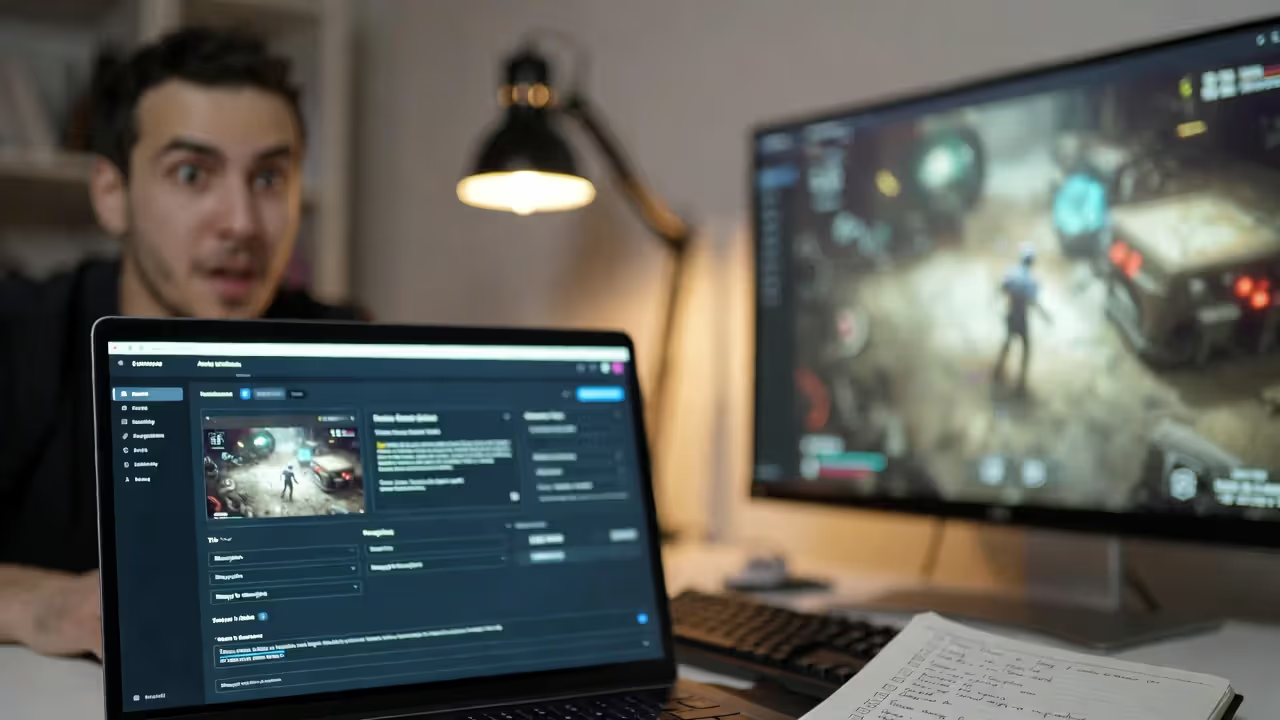
Understanding the bug testing workflow demystifies how issues move from discovery to fix. It's a structured process that balances urgency, resources, and impact.
Discovery and Reproduction: A tester encounters unexpected behavior. Before filing a report, they attempt to reproduce it consistently. Can they make it happen again? What specific steps trigger it? Inconsistent bugs are harder to fix, so establishing reproduction steps is critical. A good report includes the build number, platform, exact steps, expected versus actual results, and often screenshots or video.
Logging and Triage: The tester logs the bug in a tracking system like JIRA or DevTrack. A lead or producer assigns priority and severity. Priority reflects how urgently it needs fixing; severity measures impact on gameplay. A crash that happens rarely might be high severity but low priority if it's hard to trigger. A minor visual glitch in a main menu might be low severity but high priority because everyone sees it.
Assignment and Investigation: A developer receives the bug, reviews the report, and investigates the code. Sometimes they can't reproduce it with the provided steps, sending it back to QA for more information. This back-and-forth is normal and why clear reproduction steps matter so much.
Fix Implementation: The developer implements a fix and marks the bug as resolved. The fix goes into the next build, which might be daily, weekly, or tied to specific milestones depending on the studio's pipeline.
Verification: QA receives the new build and verifies the fix. The original tester checks that the bug no longer occurs using the reproduction steps. They also test related features—fixing one thing shouldn't break another. If the bug persists or the fix causes new issues, it reopens and cycles back to development.
Closure: Once verified fixed and regression tested, the bug closes. It remains in the database as documentation. If similar issues appear later, developers can reference previous fixes.
Priority levels typically follow this pattern: Critical (game-breaking, blocks progress), High (major feature broken, significant impact), Medium (noticeable but workaroundable), Low (minor polish, edge cases). Studios adjust terminology, but the concept remains consistent.
The workflow's efficiency depends on communication. QA teams that understand development constraints write better reports. Developers who respect QA expertise create better feedback loops. Studios where these teams distrust each other waste time on miscommunication while bugs slip through.
Why Playtesting Matters More Than You Think
Playtesting and QA testing serve different purposes, and confusing them is one of the biggest mistakes studios make. QA testing verifies that the game works as designed. Playtesting evaluates whether the design itself works for players.
Your game might have zero bugs and still fail because players don't understand the core mechanics, find the difficulty curve punishing, or lose interest after the first hour. QA testers catch crashes; playtesters catch boring tutorials and confusing objectives.
Playtesting is where you discover the difference between the game you built and the game players actually experience. You can't design your way out of problems you don't know exist.
— Jason VandenBerghe, Creative Director (Ubisoft, known for For Honor)
Consider the case of Helldivers 2. Arrowhead Game Studios conducted extensive playtesting that revealed players loved chaotic friendly fire scenarios, even though conventional wisdom suggests frustration. They leaned into that feedback, and the mechanic became a defining feature that generated organic social media buzz. Without playtesting, they might have removed it as "too punishing."
Conversely, Anthem launched with beautiful graphics and functional systems but failed to retain players. Post-mortems revealed that late-stage playtesting feedback about repetitive gameplay and confusing progression was deprioritized due to time constraints. The technical QA was solid; the experience design wasn't.
Playtesting reveals what's called "emergent behavior"—how players actually use your systems versus how you intended. They'll find exploits, ignore tutorials, and approach problems from angles you never considered. A good playtester provides the perspective you lose after working on the same game for years.
The timing matters too. Early playtesting informs design decisions when changes are cheap. Late playtesting polishes the experience before launch. Studios that only playtest at the end discover fundamental problems when fixing them requires cutting features or delaying launch.
Effective playtesting requires the right participants. Friends and family are too forgiving. Your core development team is too knowledgeable. You need people who match your target audience but haven't seen your game before. Their confusion is data. Their frustration is feedback. Their suggestions might miss the mark, but their problems are real.

Author: Tyler Brooks;
Source: quantumcatanimation.com
Common Mistakes Studios Make with Game Testing (And How to Avoid Them)
Even experienced studios fall into predictable testing traps. Recognizing these patterns helps you avoid them.
Testing Too Late in Development: Some teams treat QA as a pre-launch formality rather than an ongoing process. They build for months, then bring in testers to "check for bugs" weeks before launch. This approach guarantees that major issues get discovered when fixing them is most expensive and disruptive.
Start testing early, even with incomplete features. Catching a fundamental save system problem in alpha costs days to fix. Discovering it in beta might cost weeks and risk certification delays. Embed QA in your development process from the start.
Ignoring Playtester Feedback: Developers sometimes dismiss playtester feedback because suggestions seem naive or contradict the design vision. But when multiple playtesters independently struggle with the same mechanic, that's signal, not noise.
The solution isn't implementing every suggestion—playtesters often correctly identify problems but propose wrong solutions. A playtester saying "add a minimap" might actually mean "I get lost and don't know where to go." The problem is navigation clarity; the solution might be better level design, not a minimap.
Inadequate Test Coverage: Studios focus testing on happy paths—the intended player experience—while neglecting edge cases. But players don't follow scripts. They pause during cutscenes, alt-tab during loading screens, and try to break your game in creative ways.
Allocate time for exploratory testing where testers specifically try to break things. Some of the most embarrassing launch bugs come from untested edge cases: what happens when you have 999 of an item? What if you enter this area from the wrong direction? What if you spam this button during a transition?

Author: Tyler Brooks;
Source: quantumcatanimation.com
Poor Communication Between QA and Development: When QA and development teams work in silos, bugs get misunderstood, priorities misalign, and resentment builds. Developers see QA as complainers who don't understand technical constraints. QA sees developers as dismissive of legitimate issues.
Regular communication fixes this. Daily standups, shared bug review sessions, and mutual respect for expertise create better outcomes. When testers understand why certain bugs can't be fixed, they can better prioritize their work. When developers understand player impact, they can make better trade-off decisions.
Underestimating Localization Testing: Studios sometimes treat localization as a simple translation task, then discover text overflow breaks UI layouts, cultural references confuse players, or translated button prompts don't match controller layouts.
Budget time and resources for proper localization testing with native speakers. A game that feels polished in English but janky in other languages limits your market and generates negative reviews in those regions.
Breaking Into Game Testing: Skills, Tools, and Realistic Expectations
Game testing as a career offers a legitimate entry point into the game industry, but it's not the casual job many imagine.
Required Skills: Attention to detail tops the list. You need to notice when a texture loads incorrectly, when an animation skips a frame, or when a sound effect plays at the wrong time. Communication skills matter almost as much—a bug you can't clearly describe is a bug that won't get fixed.
Technical aptitude helps. You don't need to code, but understanding how games work, basic networking concepts, and platform differences makes you more valuable. Persistence matters too. Testing the same feature repeatedly after each fix requires patience that not everyone has.
Common Tools: Professional testers use bug tracking systems like JIRA, TestRail, or proprietary tools. You'll work with build management systems, video capture software, and platform-specific debugging tools. Familiarity with these tools before applying gives you an advantage, though most studios provide training.
Salary Ranges: Entry-level game testers in the US typically earn $30,000-$45,000 annually, depending on location and studio size. Senior testers and QA leads can reach $60,000-$90,000. It's not lucrative compared to other tech jobs, but it's stable work with growth potential.
Career Progression: Many developers, designers, and producers started in QA. Testing teaches you how games work from the inside, exposes you to development pipelines, and builds relationships across teams. Some testers specialize, becoming experts in compliance, automation, or specific platforms. Others transition into production, design, or development roles.

Author: Tyler Brooks;
Source: quantumcatanimation.com
Certifications: The gaming industry doesn't emphasize certifications like other tech fields, but ISTQB (International Software Testing Qualifications Board) certification can help, especially for larger studios. More important than certifications is a portfolio demonstrating your skills—documented bug reports from personal projects, contributions to beta tests, or detailed write-ups showing analytical thinking.
Realistic Expectations: Entry-level testing often involves repetitive work. You might spend weeks testing the same menu system or running through the same level on different hardware configurations. Crunch is common near launch dates. Contract positions are standard, especially at larger studios, meaning job security varies.
Remote work has become more common post-pandemic, but many studios still prefer on-site testing for security reasons and equipment access. Hybrid arrangements are increasingly available, especially for senior roles.
The job can be a stepping stone or a career. Some people love testing and build expertise that makes them invaluable. Others use it to learn the industry and transition elsewhere. Both paths are valid.
Frequently Asked Questions About Game Testing
Game testing is both more complex and more essential than most people realize. It's not about playing games casually—it's about systematically evaluating software while maintaining focus on player experience. The discipline combines technical rigor with creative insight, requiring testers to think like both engineers and players.
Whether you're building games or testing them, understanding this process improves outcomes. Developers who respect QA expertise catch problems early. Testers who understand development constraints communicate more effectively. Studios that invest properly in testing ship better games, avoid costly launch disasters, and build reputations for quality.
The industry continues evolving. Automation handles more repetitive testing, but human judgment remains irreplaceable for evaluating experience and catching unexpected issues. Remote work expands opportunities while raising new security challenges. Player expectations for polish increase while development timelines compress.
What hasn't changed is the fundamental truth: every game that doesn't crash, every mechanic that feels right, and every launch that goes smoothly exists because someone tested it thoroughly. That work happens largely invisibly, but it's the foundation of every successful game.