
Gaming Chair Buyer's Guide: How to Choose the Right Chair for Your Setup
Gaming Chair Guide

Content
Why Your Current Chair Is Hurting Your Gaming Performance. Your reaction time drops. Your shoulders ache by match three. That dining chair or hand-me-down office seat isn't just uncomfortable—it's costing you wins.
Poor seating creates a cascade of problems during extended sessions. When your lower back lacks support, you unconsciously shift forward, collapsing your chest and restricting breathing. Reduced oxygen intake means slower cognitive processing. Your aim suffers. Decision-making lags. Meanwhile, that forward slump puts your neck at a 60-degree angle, multiplying the effective weight of your head from 10 pounds to 60 pounds of pressure on your cervical spine.
The armrest issue compounds everything. Too high, and your shoulders stay elevated, creating trapezius tension that radiates into headaches. Too low or nonexistent, and your arms hang unsupported, pulling on shoulder joints for hours. Either scenario leads to the same outcome: you're fighting your own body instead of your opponents.
Budget seating also creates hotspots—pressure points where blood flow restricts. Your legs go numb. You fidget constantly. Each movement breaks concentration. A player who shifts position every eight minutes isn't maintaining consistent mouse control or controller grip pressure. The equipment matters, but the platform you're sitting on determines whether you can actually use that equipment effectively for more than an hour.
What Makes Gaming Chairs Different from Office Chairs
The design philosophies diverge at the blueprint stage. Office chairs optimize for typing posture: upright torso, arms at 90 degrees, feet flat. Gaming demands different body mechanics. Controllers require arms closer to the body. Leaning back during cutscenes or between rounds helps reset posture. Quick lateral movements during intense moments need a seat that moves with you, not against you.

Author: Brandon Hayes;
Source: quantumcatanimation.com
Bucket-style side bolsters—that racing seat aesthetic—serve a real purpose beyond looks. They provide lateral support when you lean during sharp turns in racing games or when tensing during clutch moments. Office chairs assume you'll sit relatively still. Gaming chairs expect dynamic movement within a confined space.
The recline range tells the story. Standard office chairs max out around 120 degrees, enough to lean back briefly. Gaming chairs regularly offer 135 to 180 degrees. This isn't about napping at your desk—it's about changing spinal loading throughout a session. Sitting at 110 degrees for thirty minutes, then 130 degrees for the next thirty, distributes pressure across different vertebral discs instead of hammering the same L4-L5 junction all day.
Base construction differs too. Gaming chairs typically use larger casters and reinforced five-star bases rated for more aggressive movement. Office chairs anticipate rolling to the filing cabinet. Gaming chairs get spun, tilted, and rocked during emotional moments. That extra metal in the base and hydraulic cylinder isn't decorative—it's engineered for lateral stress that office environments rarely produce.
5 Ergonomic Features That Actually Matter
Lumbar Support Systems Explained
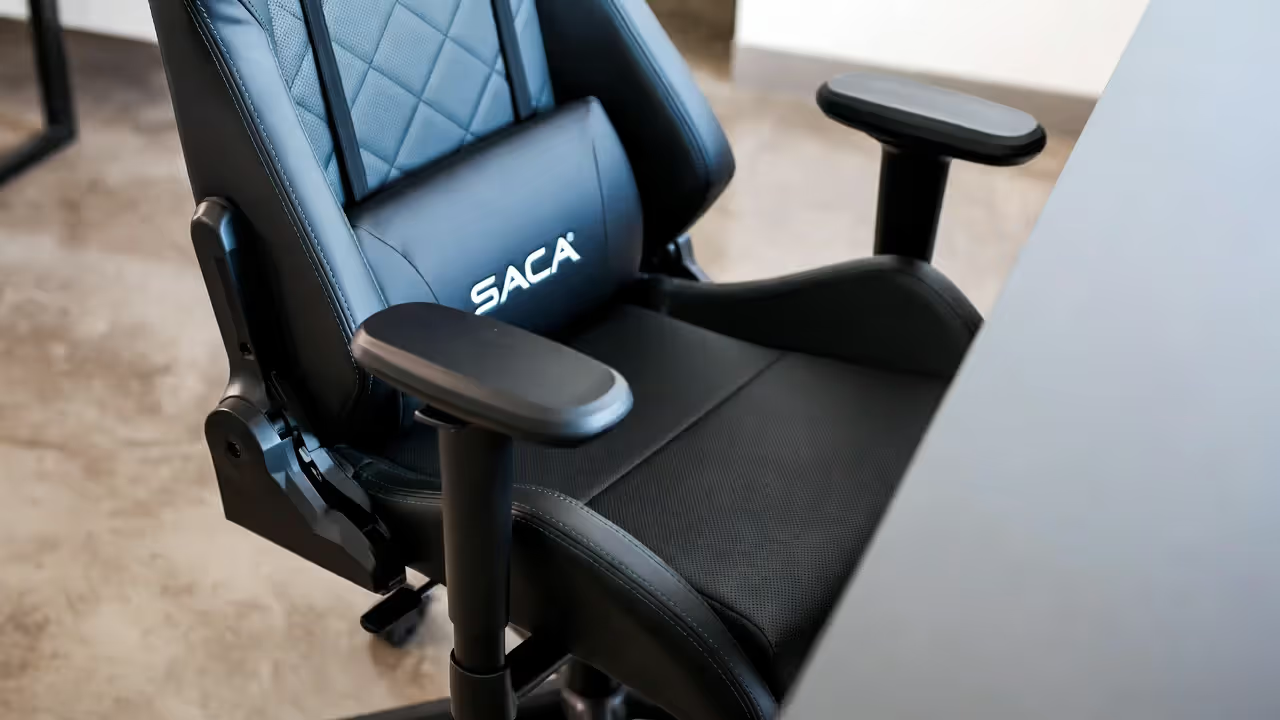
Fixed foam pads accomplish nothing for most users. Your lumbar curve sits at a specific height determined by your torso length. A 5'4" player and a 6'3" player need support in completely different locations. Adjustable systems solve this through either height-adjustable cushions or built-in mechanisms that move up and down the backrest.
Depth matters as much as height. Aggressive lumbar support that pushes too far forward forces an unnatural arch. Quality systems offer 1-2 inches of depth adjustment, letting you dial in the exact amount of forward pressure that maintains your natural curve without creating artificial hyperextension.
Memory foam lumbar pillows seem convenient but create problems. They compress over months, losing effectiveness. They also trap heat against your lower back. Mesh or firm foam integrated systems maintain shape longer and breathe better. If you're running a pillow system, replacement should happen every 8-10 months, not when it's completely flat.
Author: Brandon Hayes;
Source: quantumcatanimation.com
Adjustable Armrests and Why They're Non-Negotiable
1D armrests (height only) belong in the budget tier and nowhere else. Your arms don't just move up and down—they need to come inward for controller gaming or move outward for wide keyboard-and-mouse setups.
4D systems adjust height, width, depth (forward/back), and angle. This matters because elbow position changes based on what you're playing. FPS gaming with low mouse sensitivity requires armrests set back so your forearm can extend. MOBA gaming with higher sensitivity needs armrests forward, supporting more of your forearm. Fighting games on controller? Armrests angled inward, supporting your elbows while your hands meet at center.
The locking mechanism determines whether adjustability means anything. Push-button systems hold position under load. Twist-lock systems gradually slip during sessions, especially cheaper implementations. Test this before buying—press down hard on the armrest at an angle. If it shifts, it'll shift during use.
Seat Depth and Height Adjustments
Seat depth gets ignored, then blamed for everything. Too deep, and the seat pan hits behind your knees, cutting circulation and causing that pins-and-needles sensation. Too shallow, and your thighs lack support, putting all your weight on a smaller surface area.
The rule: 2-3 inches of space between the seat edge and the back of your knees when your back contacts the backrest. Some chairs offer sliding seat pans. Most don't. This makes seat depth a critical measurement before purchase, not an afterthought.
Height adjustment seems obvious until you realize most chairs don't drop low enough for shorter users or rise high enough for taller players at standing desks in sitting mode. The range matters. Measure from the floor to the back of your knee, subtract two inches. That's your minimum compressed height requirement. Your elbows at 90 degrees should put your forearms parallel to your desk surface.
Recline Function and Tilt Mechanisms
Three mechanisms dominate: tilt lock, tilt tension, and synchronized tilt. Tilt lock lets you fix the backrest at specific angles—useful for finding your preferred position and staying there. Tilt tension adjusts how much force tilting requires—critical for heavier or lighter users. Synchronized tilt moves the seat pan and backrest together, maintaining consistent support throughout the recline range.
Budget chairs offer only tilt lock at 90 and 180 degrees. Mid-range adds tension adjustment. Premium implements synchronized tilt with infinite locking positions. The difference becomes obvious during long sessions. Fixed positions force you to commit to one angle. Infinite adjustment with tension control lets you rock slightly, shifting pressure without losing support.
The tilt limiter—a secondary lock that prevents reclining past a certain point—stops you from accidentally launching backward during intense moments. Not every chair includes this. It's worth having.
Material Choice and Breathability
PU leather looks premium for six months, then cracks and peels. It also traps heat, creating a sweat layer between you and the seat within an hour. Real leather breathes better but costs significantly more and requires maintenance.
Fabric holds up better long-term and breathes well, but shows stains and absorbs spills. Gaming means energy drinks and late-night snacks—spill probability isn't zero. Fabric chairs need regular vacuuming and occasional deep cleaning.
Mesh offers the best thermal performance. Air flows through, heat escapes. The downside: mesh seats can feel less plush, and lower-quality mesh stretches out, creating a hammock effect that ruins the ergonomic profile. High-tension mesh maintains shape but costs more.
Hybrid designs—mesh back, fabric or leather seat—split the difference. Your back, which generates more heat, gets airflow. Your seat, which takes more abuse and contact, gets more durable material.
The biggest issue I see in my practice is patients who maintain static postures for 4-6 hour blocks. The chair itself matters less than whether it encourages positional changes. Look for designs that make it easy to shift from 100 to 120 degrees every 30-45 minutes. That variability protects spinal structures better than any single 'perfect' position maintained too long.
— Dr. Michael Chen, DPT, CSCS, Peak Performance Physical Therapy, Austin, TX
How to Set Up Your Gaming Chair for Optimal Posture
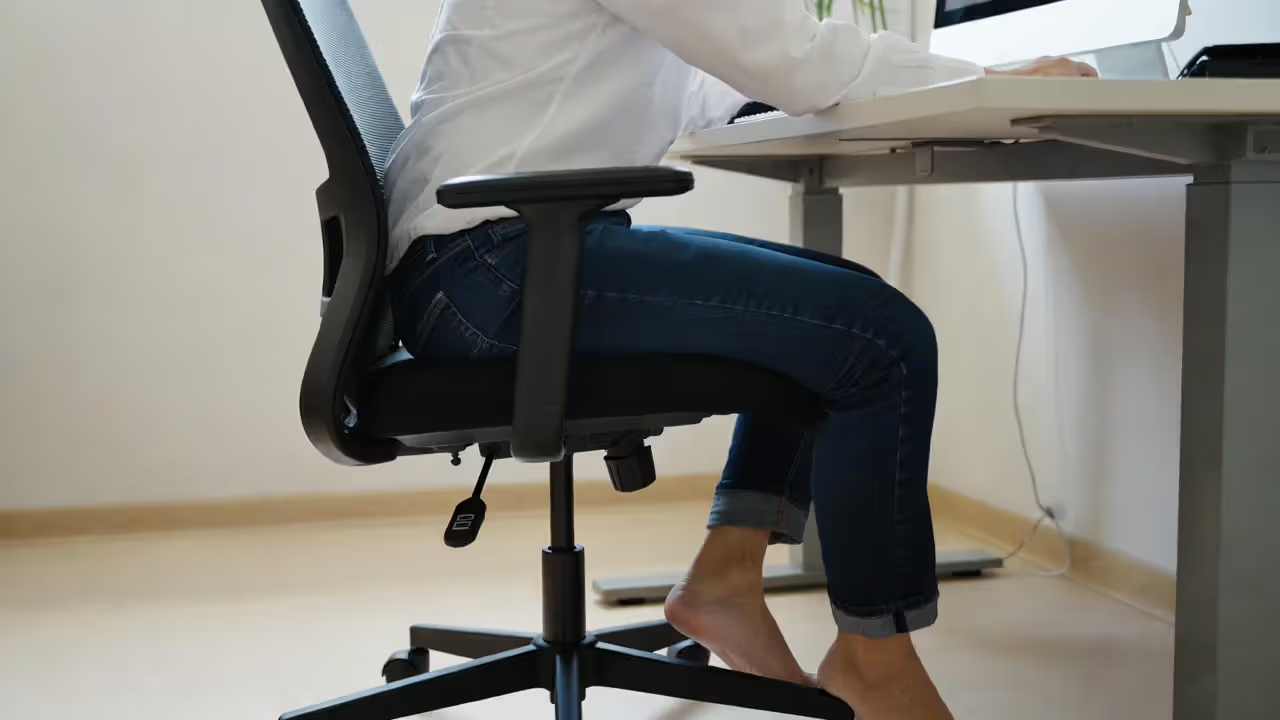
Start with height. Sit fully back in the chair. Your feet should rest flat on the floor with thighs parallel to the ground. Knees at 90 degrees. If your feet dangle, the chair's too high—lower it. If your knees angle upward, it's too low—raise it. This establishes your baseline.
Next, armrests. Let your shoulders relax completely. Bend your elbows to 90 degrees as if holding your controller or reaching for your mouse. Adjust armrest height until they barely touch your forearms in this position. They should support without lifting your shoulders. For width, your elbows should align naturally with your torso, not flared out or pinched in.
Lumbar support comes third. Sit back fully. The support should contact your lower back at belt level, filling the gap between your natural curve and the backrest. You should feel gentle forward pressure, not aggressive pushing. If you feel the support in your mid-back, it's too high. If it's hitting your tailbone area, it's too low.
Author: Brandon Hayes;
Source: quantumcatanimation.com
Monitor position correlates directly with chair setup. Your eyes should align with the top third of your screen when looking straight ahead. If you're tilting your head up or down more than 15 degrees, adjust the monitor, not your posture. Screens too low create forward head posture. Screens too high strain neck extensors.
Desk height matters. With armrests properly set, your desk surface should sit at or just below elbow height. This keeps your wrists neutral whether you're on keyboard, mouse, or controller. A desk too high forces shoulder elevation. Too low creates forward slumping.
Test the recline. Lean back to 110-120 degrees. The lumbar support should maintain contact. If it pulls away from your back, you need more depth adjustment or a different chair. This reclined position should feel stable enough to game in, not like you're about to tip over.
Run a 15-minute session, then reassess. Your body settles into the chair. What felt right initially might need micro-adjustments. This is normal. Most users need 2-3 fine-tuning sessions over the first week to dial everything in perfectly.
Common Gaming Chair Mistakes That Waste Your Money
Brand worship costs hundreds of dollars for identical features. Three manufacturers produce the majority of gaming chair frames, then brands slap their logos on and charge premiums. You're paying for marketing, not engineering. Compare spec sheets, not brand recognition. If two chairs share the same dimensions, adjustability features, and weight rating, the $500 version isn't meaningfully better than the $300 version.
Ignoring weight limits seems harmless until your hydraulic cylinder fails eight months in. Manufacturers list maximum weight, but comfort degrades well before that threshold. A chair rated for 300 pounds works optimally for users up to 250 pounds. Add 20% buffer to your weight for the real working limit. Exceeding this compresses foam faster, stresses joints, and voids warranties.
Size selection based on "it'll fit" rather than proper fit ruins the ergonomic benefits. Gaming chairs come in small, medium, and large footprints. A 5'6" user in a chair designed for 6'2" players can't position lumbar support correctly—it's too high. The seat depth extends too far. Armrests don't drop low enough. Every adjustment becomes a compromise. Match your height and weight to the manufacturer's size chart, not your aspirations.
Aesthetics over function creates buyer's remorse. RGB lighting and esports team colors don't support your spine. Racing stripes don't adjust. That aggressive bucket seat with 6-inch bolsters looks amazing but prevents lateral movement if you're a broad-shouldered user. Function determines whether you'll still use the chair in year two. Looks determine whether you'll photograph it in week one.
Skipping the return window test is expensive. Most retailers offer 30-day returns. Week one feels fine—everything's new. Week three reveals the real story. That slightly-too-firm seat hasn't broken in; it's just firm. The armrests that seemed okay start slipping. Test the full return period. Use the chair hard. If something bothers you on day 25, it'll enrage you on day 90 when you can't return it.
Gaming Chair Price Ranges: What You Get at Each Level
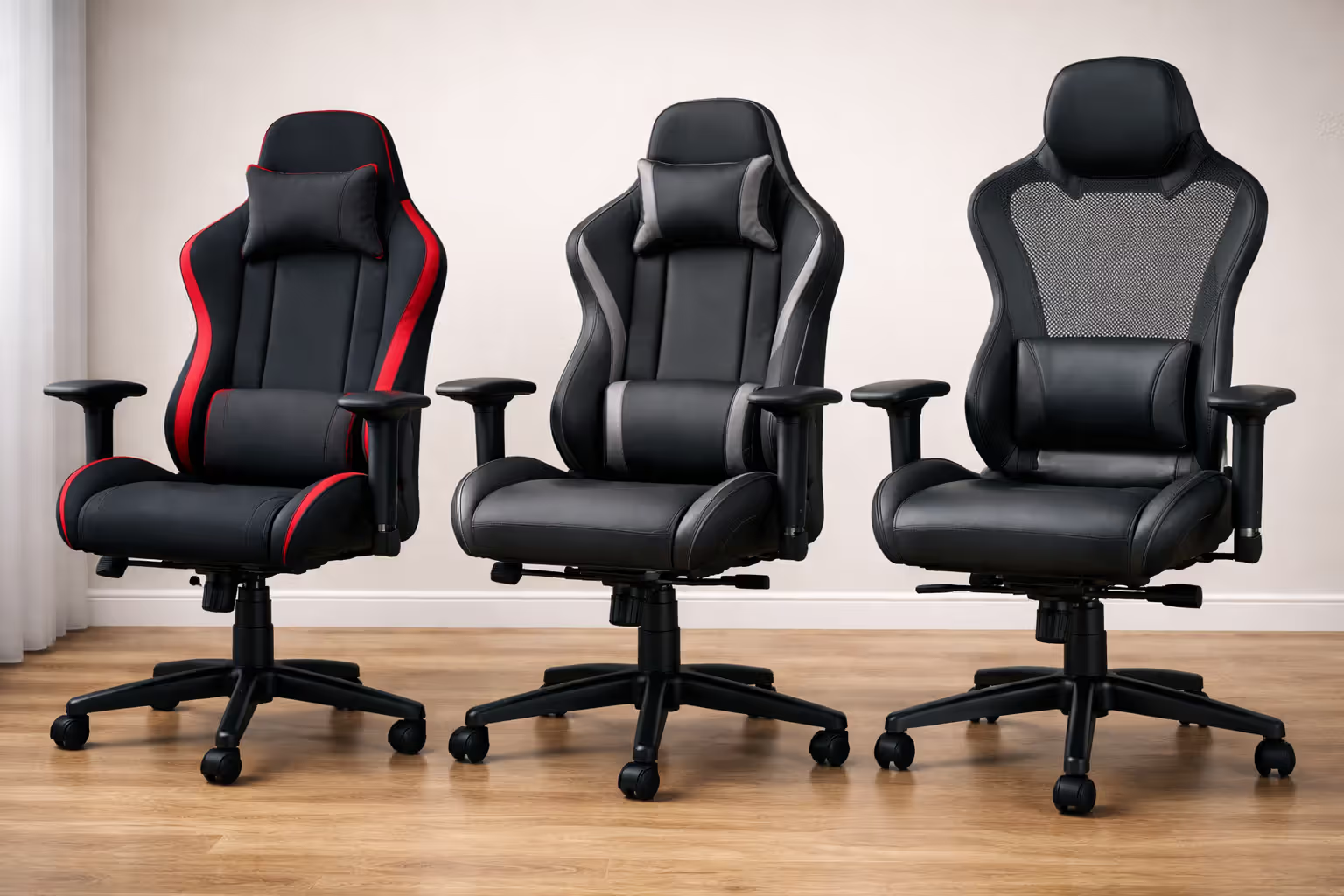
Budget chairs ($150-250) cover the basics: height adjustment, 2D armrests, tilt lock, and PU leather or basic fabric. Lumbar support comes as a removable pillow. The hydraulic cylinder meets Class 3 standards but won't last beyond 2-3 years of regular use. Foam density sits around 1.8 lbs/cubic foot—comfortable initially, but compresses within 18 months. Warranties cover 1 year on parts.
These work for casual players gaming 1-2 hours daily or those testing whether a gaming chair improves their experience before committing to higher investment. They're also appropriate for secondary setups or guest stations.
Author: Brandon Hayes;
Source: quantumcatanimation.com
Mid-range options ($250-450) upgrade materials and mechanisms. Foam density increases to 2.0-2.2 lbs/cubic foot, maintaining support longer. Armrests upgrade to 3D or 4D. Tilt mechanisms add tension adjustment and multiple lock points. Lumbar support integrates into the backrest with height adjustment. Class 4 hydraulic cylinders handle more weight and last longer. Fabric quality improves—tighter weaves, better stain resistance. Warranties extend to 2-3 years.
This tier suits regular gamers (3-5 hours daily) who need durability and proper adjustability. The cost-per-year-of-use beats budget chairs if you're keeping the chair beyond two years.
Premium chairs ($450+) implement advanced ergonomics: synchronized tilt mechanisms, infinite recline positions with tension control, integrated adjustable lumbar systems (not pillows), 4D armrests with metal frames, high-density foam (2.5+ lbs/cubic foot), and premium materials like real leather or high-tension mesh. Steel frames replace plastic components. Weight ratings increase. Warranties cover 3-5 years, sometimes with lifetime coverage on frames.
These target serious gamers and streamers (5+ hours daily) where the chair functions as work equipment. The improved materials and mechanisms justify the cost through longevity and maintained comfort over years, not months.
| Feature | Budget ($150-250) | Mid-Range ($250-450) | Premium ($450+) |
| Price Range | $150-250 | $250-450 | $450-800+ |
| Lumbar Support | Removable pillow | Adjustable pillow or basic integrated | Fully adjustable integrated system |
| Adjustability | Height, 2D arms, basic tilt | Height, 3D/4D arms, tilt tension, multi-lock | Full 4D arms, synchro-tilt, infinite positions |
| Material Quality | Basic PU leather/fabric, 1.8 lb foam | Upgraded fabric, 2.0-2.2 lb foam | Premium leather/mesh, 2.5+ lb foam |
| Typical Warranty | 1 year | 2-3 years | 3-5 years (lifetime frame) |
| Best For | Casual gamers, 1-2 hrs/day, testing category | Regular gamers, 3-5 hrs/day, proven need | Daily users, 5+ hrs/day, streamers, professionals |
Frequently Asked Questions About Gaming Chairs
The right gaming chair disappears during use. You don't think about it because nothing hurts, nothing restricts movement, and nothing demands constant readjustment. That's the goal—equipment that supports performance without announcing its presence.
Start with your actual usage pattern. Casual weekend sessions need different support than daily streaming schedules. Match the chair's durability tier to your hours, not your budget. A $200 chair replaced every two years costs more than a $400 chair lasting five.
Measure before buying. Height, weight, desk height, and monitor position all factor into which chair works for your specific setup. Size charts exist for a reason. Your body dimensions matter more than whether the chair matches your setup's color scheme.
Test the return window fully. The first week feels different than week three. Foam settles. Your body adapts. Problems that seem minor on day five become deal-breakers by day twenty. Use that 30-day period.
Proper setup multiplies the chair's effectiveness. The best chair configured wrong underperforms a decent chair set up correctly. Spend thirty minutes with the adjustment guide. Revisit it after a week. Small changes in armrest height or lumbar depth create significant comfort differences.
Your chair supports everything else you've invested in your setup. The monitor, the peripherals, the PC—none of it matters if you can't sit comfortably long enough to use it. Treat the chair as foundational equipment, not an afterthought. Your back will thank you, and your performance will show it.