Ultrawide Gaming Monitor: Is the Extra Screen Real Estate Worth It?
How to Choose an Ultrawide Monitor?

Content
Staring at a 16:9 display after experiencing an ultrawide feels like looking through a window that's been partially bricked over. The format has moved from enthusiast curiosity to mainstream consideration, but the $400–$1,500 price tags demand scrutiny. Whether you're tired of bezels splitting your field of view or simply want more pixels for your money, understanding what you're actually buying matters more than the marketing hype suggests.
What Makes an Ultrawide Gaming Monitor Different from Standard Displays
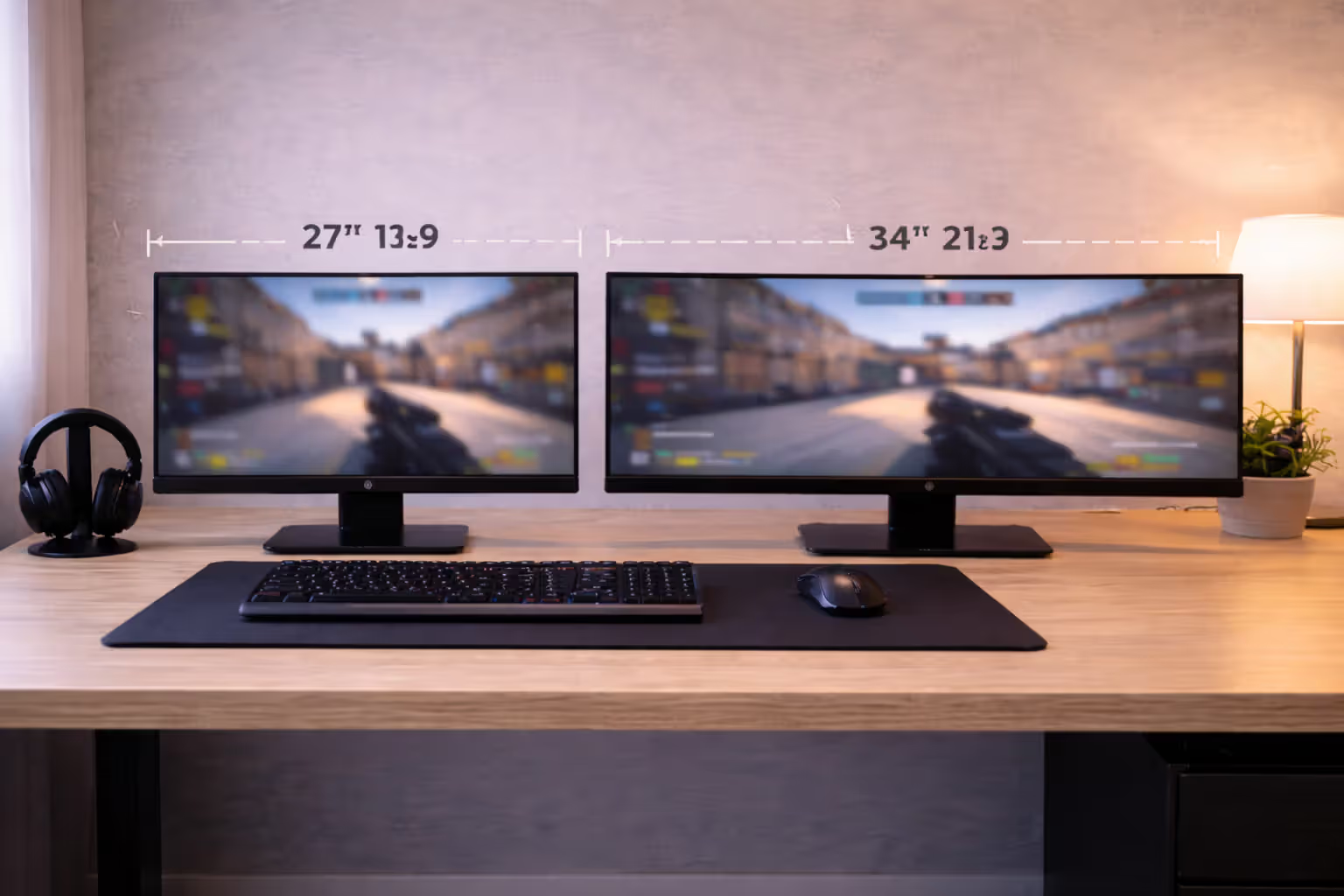
Standard monitors use a 16:9 aspect ratio—the same proportion as most TVs and laptop screens. Ultrawide displays stretch this to 21:9 or even 32:9, adding horizontal pixels without increasing vertical height. A typical 27-inch 16:9 monitor measures about 23.5 inches wide; a 34-inch 21:9 ultrawide spans roughly 31.5 inches while maintaining similar height.
Resolution scales accordingly. Where a 27-inch standard display runs 2560×1440, a 34-inch ultrawide pushes 3440×1440—880 extra horizontal pixels. The super-ultrawide 49-inch models at 32:9 deliver 5120×1440, essentially two 27-inch QHD panels fused without a bezel gap.
Panel technology follows the same IPS, VA, and TN divisions found in standard monitors. IPS offers superior color accuracy and viewing angles but typically costs more and may show IPS glow in dark scenes. VA panels provide deeper blacks and better contrast ratios, making them popular for immersive single-player games, though they sometimes suffer from black smearing during fast motion. TN panels have largely disappeared from the ultrawide market—their poor viewing angles become more problematic across wider screens.
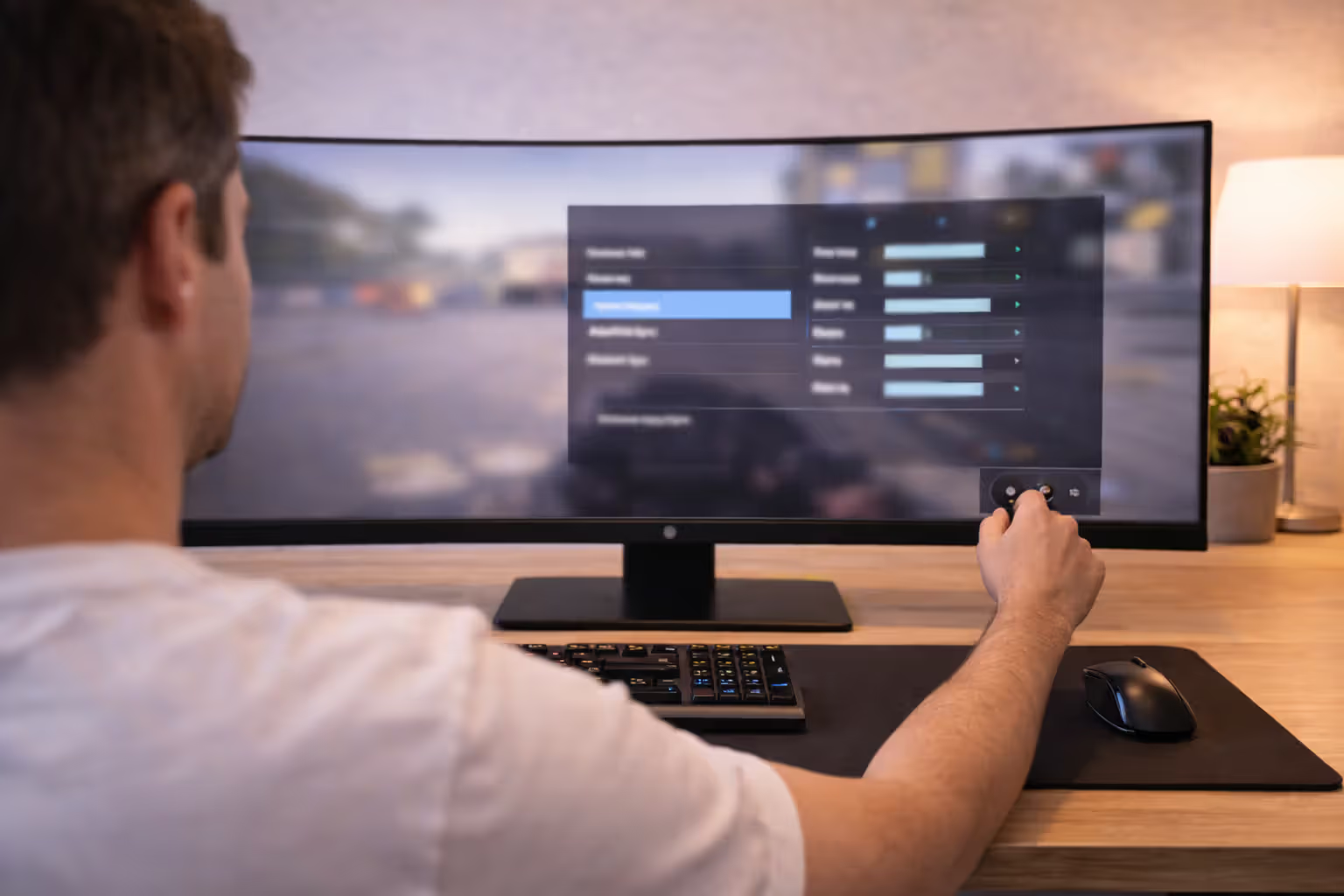
Curvature enters the equation with ultrawide formats. Manufacturers express curve ratings as radius measurements: 1800R means the screen forms an arc of a circle with an 1800mm radius. Tighter curves (1000R, 1500R) wrap further around your peripheral vision. A 34-inch ultrawide often ships with 1800R or 1500R curvature; 49-inch models typically use 1000R to keep the edges from feeling distant. Flat ultrawides exist but sacrifice some of the format's immersive advantage—the edges sit farther from your central vision, requiring more eye movement.
Author: Megan Lewis;
Source: quantumcatanimation.com
How Widescreen Formats Change Your Gaming Experience
The widescreen gaming benefits extend beyond simple pixel counts. Your visual system processes peripheral information differently than central focus—movement and threats register faster when they appear in your side vision rather than requiring you to turn your head or camera. Ultrawide displays exploit this by presenting more game world within your natural field of view.
Immersion gaming displays work because they reduce the disconnect between screen boundaries and your attention span. When enemies, track boundaries, or quest markers appear at screen edges on a 16:9 display, they feel like artificial limits. On an ultrawide, that same information sits in your peripheral awareness, closer to how you'd perceive it in physical space.
First-Person Shooters and Racing Games
Competitive FPS players debate whether ultrawides provide unfair advantages. In Counter-Strike 2, the extra horizontal view reveals angles that 16:9 players can't see without turning. Some tournament organizers restrict aspect ratios for this reason. Valorant forces 16:9 by adding black bars, regardless of your monitor. Apex Legends and Call of Duty support ultrawide natively, giving you legitimate tactical information—spotting flanking opponents earlier or tracking multiple threats without camera swings.
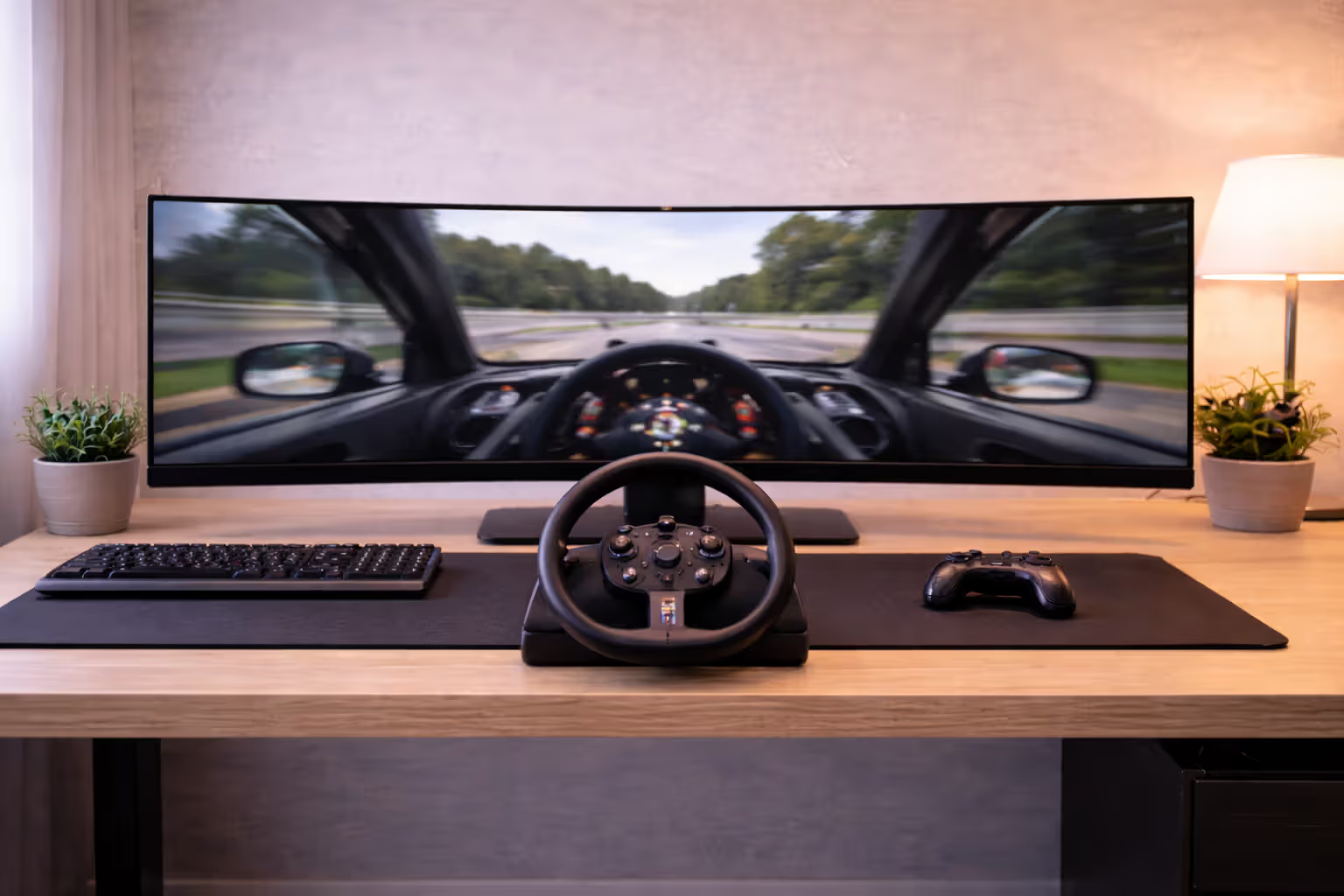
Racing simulators benefit more clearly. In Assetto Corsa Competizione or iRacing, seeing apex markers and competitor positions through side windows without head-look buttons creates smoother, faster driving. The experience moves closer to actual track vision. A 32:9 super-ultrawide essentially provides the side monitor view that triple-screen setups require, minus the bezels and GPU overhead of rendering three separate displays.
Author: Megan Lewis;
Source: quantumcatanimation.com
Response time matters more here than resolution. A 3440×1440 display at 165Hz with 1ms response beats a 5120×1440 screen at 120Hz with 5ms response for twitch gameplay, even though the latter has more pixels.
Strategy and RPG Titles
Real-time strategy games were designed for horizontal information density. StarCraft II, Age of Empires IV, and Total War titles let you monitor more battlefield without scrolling. You'll catch drop attacks sooner and coordinate multi-front assaults more effectively. The advantage isn't subtle—it's roughly equivalent to playing with minimap information promoted to full visual context.
RPGs and open-world games trade competitive edge for atmosphere. Cyberpunk 2077, Red Dead Redemption 2, and Elden Ring fill the extra pixels with environmental detail that standard displays crop. Night City's neon sprawl or the Lands Between's vistas wrap further into your peripheral vision. The effect resembles the difference between watching a movie on a phone versus a theater—same content, different presence.
MMOs gain practical workflow advantages. Final Fantasy XIV or World of Warcraft players can arrange UI elements, chat windows, and ability bars with breathing room, keeping the central view uncluttered while maintaining information access.
5 Common Mistakes When Buying Your First Ultrawide Display
Underestimating GPU requirements tops the list. Driving 3440×1440 at 100+ FPS demands roughly 35% more GPU power than 2560×1440. That RTX 4060 or RX 7600 that handles 1440p comfortably will struggle with ultrawide gaming at high settings. Budget for a GPU tier higher than your resolution research suggests, or accept dialing back settings. A 5120×1440 super-ultrawide requires horsepower closer to 4K gaming—expect to need an RTX 4070 Ti or RX 7900 XT for demanding titles.
Ignoring physical desk space creates ergonomic problems. A 34-inch ultrawide needs at least 32 inches of desk width, but you also need proper viewing distance. Sitting too close to a curved display causes eye strain; too far negates the immersion benefit. The rule of thumb suggests 2.5–3 feet from screen to eyes for 34-inch models, 3–4 feet for 49-inch panels. Measure your desk depth before ordering.
Prioritizing size over refresh rate appeals to buyers chasing specs. A 38-inch 75Hz ultrawide will frustrate you more than a 34-inch 144Hz model if you play fast-paced games. Larger doesn't mean better when you're sacrificing smoothness. Match refresh rate to your gaming preferences first, then choose size within that performance tier.
Choosing cheap VA panels without research leads to disappointment. Budget VA ultrawides (under $350) often exhibit severe black smearing—dark objects leave trails during fast camera pans. This ghosting ruins competitive shooters and fast action games. If you're buying VA for the contrast ratio, read professional reviews that specifically test response time consistency, not just average figures.
Assuming all games work perfectly sets unrealistic expectations. Many older titles and some modern indie games either don't support 21:9 or stretch the image incorrectly, distorting UI elements and character models. Before committing to ultrawide, check compatibility for your most-played games. Community fixes exist for many titles, but they require manual .ini file edits or third-party tools.
Ultrawide vs. Dual Monitor Setup: Real-World Comparison
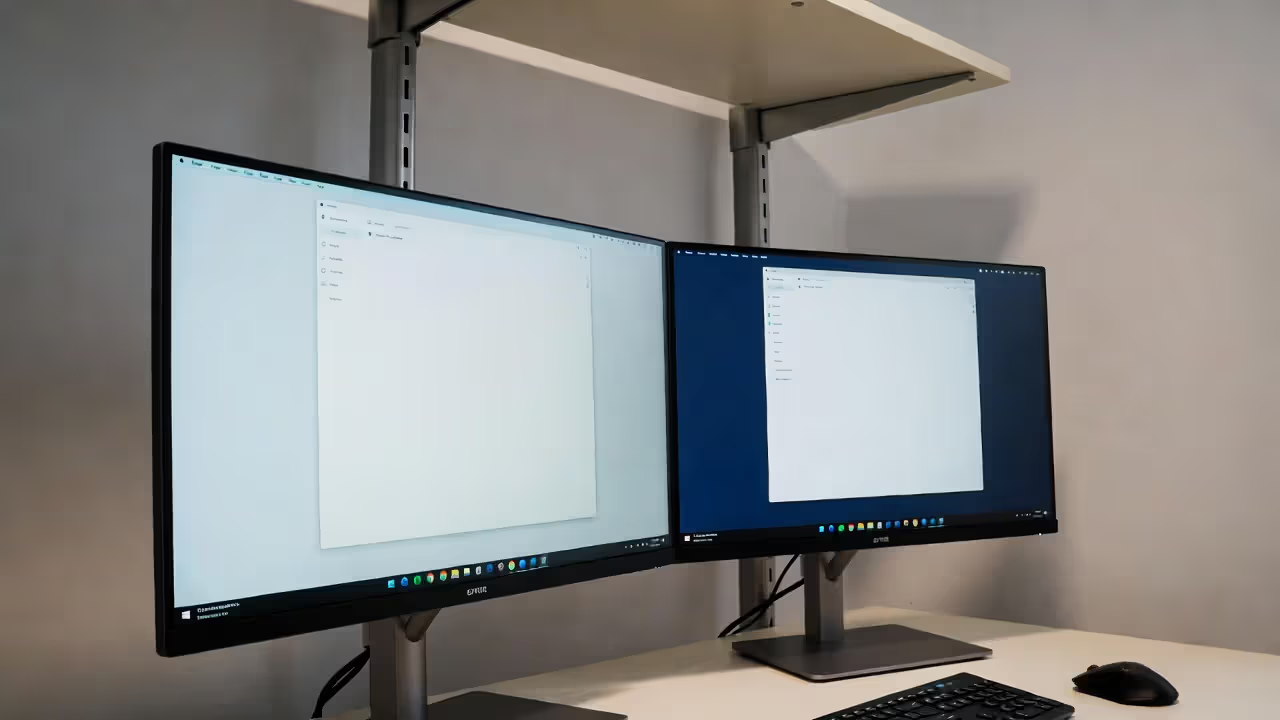
A single 34-inch ultrawide costs $350–$700 for quality models. Two 27-inch 1440p displays run $200–$400 each, totaling $400–$800. Prices overlap, but dual monitors offer flexibility—different refresh rates, one in portrait orientation, or separate inputs for multiple PCs.
Desk footprint differs significantly. An ultrawide occupies less depth than dual monitors on separate stands, though width requirements are similar. Cable management simplifies with one display—single power cord, one DisplayPort or HDMI cable. Dual monitors mean double the cables plus potential docking station or KVM switch complexity if you're connecting multiple sources.
Multitasking favors dual monitors for distinct task separation. Keeping Discord, Spotify, or a browser on a second screen while gaming on the primary feels more organized than window-snapping on an ultrawide. However, modern ultrawides with picture-by-picture modes can display two inputs simultaneously—your gaming PC and work laptop sharing screen space without switching cables.
Gaming performance tips toward ultrawides. No bezel bisects your view. GPU renders one framebuffer instead of managing two displays, reducing overhead. Competitive gamers running uncapped framerates gain 5–10% higher FPS with a single ultrawide versus dual 1440p monitors spanning the same resolution.
Author: Megan Lewis;
Source: quantumcatanimation.com
Aesthetic considerations matter if you care about desk appearance. A single curved ultrawide creates a cleaner, more intentional look. Dual monitors often mismatch slightly in color, brightness, or bezel design unless you buy identical models. The bezel gap between screens never quite disappears, even with thin-bezel designs.
Spec Sheet Decoded: What Actually Matters for Gaming Performance
Refresh rate determines maximum frames per second the display can show. A 144Hz ultrawide gaming monitor refreshes 144 times per second, displaying up to 144 FPS if your GPU can deliver it. Higher refresh rates (165Hz, 180Hz, 240Hz) reduce motion blur and input lag. For competitive gaming, 144Hz is the minimum worth considering. For single-player or strategy games, 100Hz provides noticeable improvement over 60Hz without requiring top-tier graphics cards.
Response time measures how quickly pixels change color, typically expressed in milliseconds. Marketing specs often cite "1ms" based on gray-to-gray transitions under optimal conditions. Real-world response time—especially for dark color transitions—matters more. Look for professional reviews testing response time consistency. Anything under 5ms average works fine for most gaming; competitive players should target 3ms or less.
HDR implementation varies wildly. "HDR400" certification means the panel hits 400 nits peak brightness—barely brighter than SDR and mostly a marketing checkbox. HDR600 starts becoming useful for highlights in supported games. HDR1000 with full-array local dimming delivers the dramatic contrast HDR promises, but these panels start around $1,000. If your budget caps below $700, ignore HDR specs entirely and focus on refresh rate and response time.
Curvature ratings (1000R, 1500R, 1800R) indicate how aggressively the screen curves. Tighter curves (lower numbers) increase immersion but may distort straight lines near screen edges—problematic for productivity work involving spreadsheets or design tools. For pure gaming, 1500R or 1000R enhances the wraparound effect. If you split time between gaming and work, 1800R offers a gentler curve that's less intrusive for non-gaming tasks.
Adaptive sync technology (G-Sync, FreeSync) eliminates screen tearing by synchronizing refresh rate with GPU framerate. G-Sync requires Nvidia GPUs and adds $100–$200 to monitor cost. FreeSync works with AMD cards and increasingly with Nvidia GPUs (labeled "G-Sync Compatible"). Unless you're locked into Nvidia's ecosystem and demand the absolute best variable refresh performance, FreeSync monitors provide 95% of the benefit at lower cost.
| Screen Size | Native Resolution | Typical Refresh Rate | Average Price Range | Recommended GPU Tier | Best Use Case |
| 34" (21:9) | 3440×1440 | 100–175Hz | $350–$700 | RTX 4060 Ti / RX 7700 XT | Balanced gaming and productivity |
| 38" (21:9) | 3840×1600 | 75–144Hz | $800–$1,400 | RTX 4070 / RX 7800 XT | Immersive single-player, content creation |
| 49" (32:9) | 5120×1440 | 120–240Hz | $900–$2,000 | RTX 4070 Ti / RX 7900 XT | Sim racing, multitasking, enthusiast gaming |
Author: Megan Lewis;
Source: quantumcatanimation.com
Does Every Game Support Ultrawide Resolutions?
Most AAA titles released after 2018 support 21:9 natively. Elden Ring, Baldur's Gate 3, Starfield, and Cyberpunk 2077 render ultrawide correctly out of the box. Older games present mixed results—Dark Souls III requires community mods, Overwatch 2 forces 16:9 with black bars in competitive modes, and League of Legends crops the top and bottom rather than extending horizontally.
Japanese developers historically resist ultrawide support. Many FromSoftware titles before Elden Ring either don't support it or require third-party fixes. Final Fantasy games vary—FFXIV supports it fully, while FFXV needed mods at launch. Persona ports typically lack ultrawide support entirely.
UI scaling causes problems even in supported games. HUD elements designed for 16:9 sometimes stretch to screen edges on 21:9, placing health bars or minimaps awkwardly far from central vision. The Witcher 3 and Assassin's Creed titles handle this well with repositionable UI. Other games leave you squinting at corner-mounted information.
Community fixes exist for many unsupported titles through sites like PCGamingWiki and the Widescreen Gaming Forum. These typically involve .ini file edits or tools like Flawless Widescreen. Effectiveness varies—some fixes work perfectly, others cause physics glitches or multiplayer bans. Always research specific games before assuming workarounds will solve compatibility issues.
Competitive multiplayer games restrict ultrawide deliberately. Valorant, Overwatch 2, and some Call of Duty modes add black bars to prevent perceived advantages. Tournament organizers for Counter-Strike and Rainbow Six Siege often mandate 16:9. If you primarily play competitive shooters, verify your main titles support ultrawide without restrictions.
The immersion factor with ultrawide displays isn't just about more pixels—it's about how your brain processes peripheral information. When game environments extend into your natural field of view rather than cutting off abruptly, your sense of presence in that virtual space increases dramatically. We're seeing this translate into measurable performance improvements in sim racing and flight sims, where spatial awareness directly impacts outcomes.
— Daniel Griffiths, Senior Hardware Editor at PC Gamer
Frequently Asked Questions About Ultrawide Gaming Monitors
The ultrawide gaming monitor format delivers genuine advantages for immersion and specific game genres, but it's not a universal upgrade. If you play supported single-player games, racing sims, or strategy titles and have the GPU power to drive the extra pixels, the format provides an experience that dual monitors can't replicate and standard 16:9 displays don't approach.
The investment makes less sense if your library centers on competitive shooters that restrict aspect ratios, your GPU barely handles 1440p, or your desk can't accommodate proper viewing distance. Buying a $600 ultrawide to watch black bars in Valorant or struggle at 45 FPS in Cyberpunk 2077 wastes money better spent on a high-refresh-rate 16:9 display or GPU upgrade.
Check compatibility for your top five most-played games. Measure your desk. Benchmark your GPU at 3440×1440 using online performance data. If those three factors align favorably, an ultrawide transforms how you experience games designed to support it. If any factor presents significant compromise, the format's benefits won't outweigh its limitations.
The technology has matured past early-adopter quirks. Panel quality, refresh rates, and game support have reached the point where ultrawide represents a legitimate mainstream choice rather than an enthusiast experiment. Just make sure you're choosing it for the right reasons—expanded peripheral vision and immersion—rather than chasing specs that sound impressive but don't match your actual gaming habits.