Icons that built the arcade era
Arcade Cabinets Buying Guide

Content
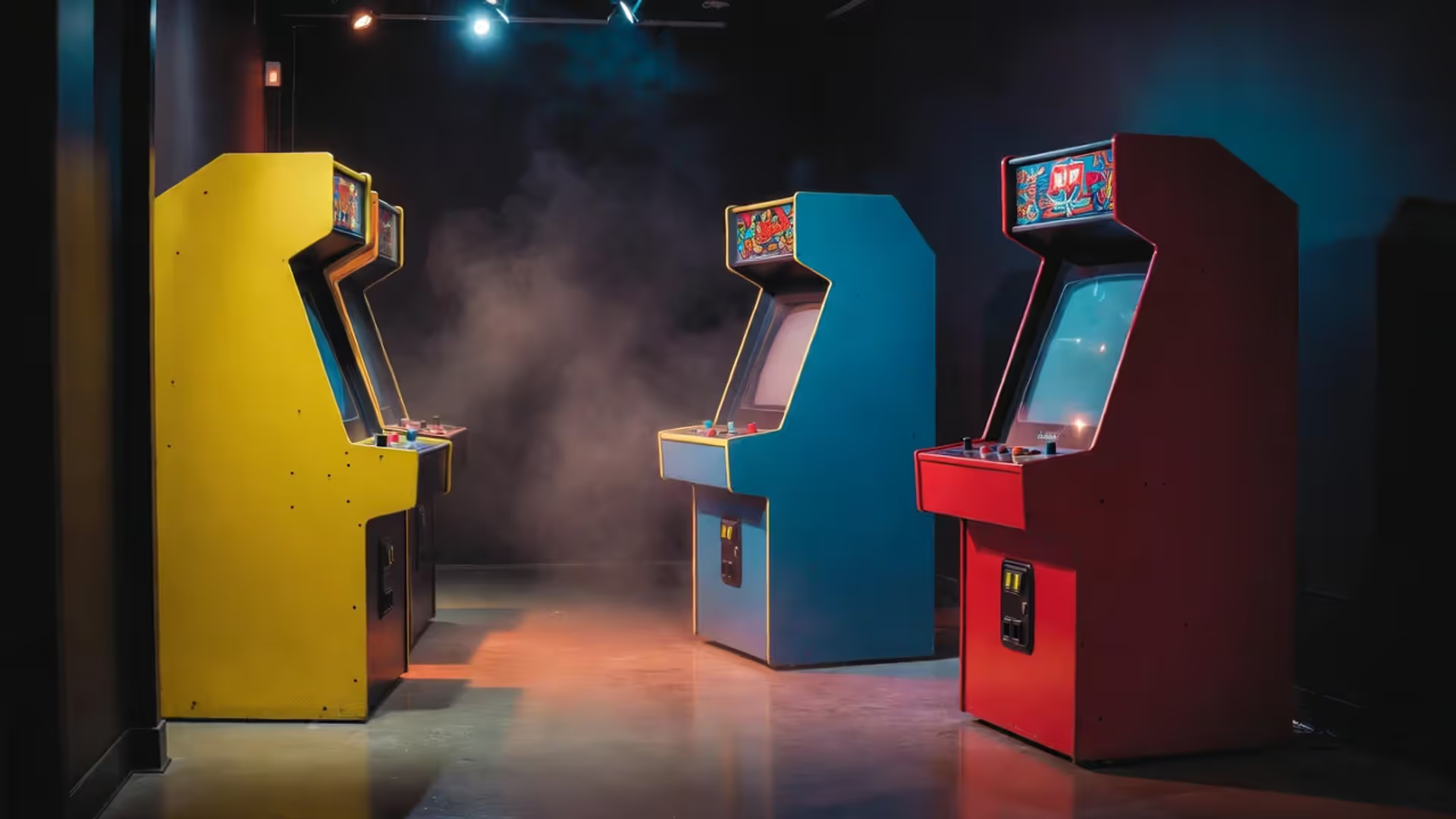
Remember your first quarter dropping into a Galaga machine? That metallic clink, the startup beep, your sweaty palm gripping the joystick—nothing about modern gaming replicates that physical connection. Flash forward to 2024, and thousands of collectors are hunting down these experiences, paying anywhere from $800 to $8,000 for machines that once lined bowling alley walls. Problem is, half the cabinets on Facebook Marketplace are gutted conversion jobs with amateur artwork, while the other half have sellers who think their water-damaged Centipede is worth $3,500 because "it's vintage."
I've helped friends avoid expensive mistakes and watched others learn costly lessons. Knowing what you're looking at matters more than having a thick wallet.
What Separates Premium Arcade Cabinets from Budget Models
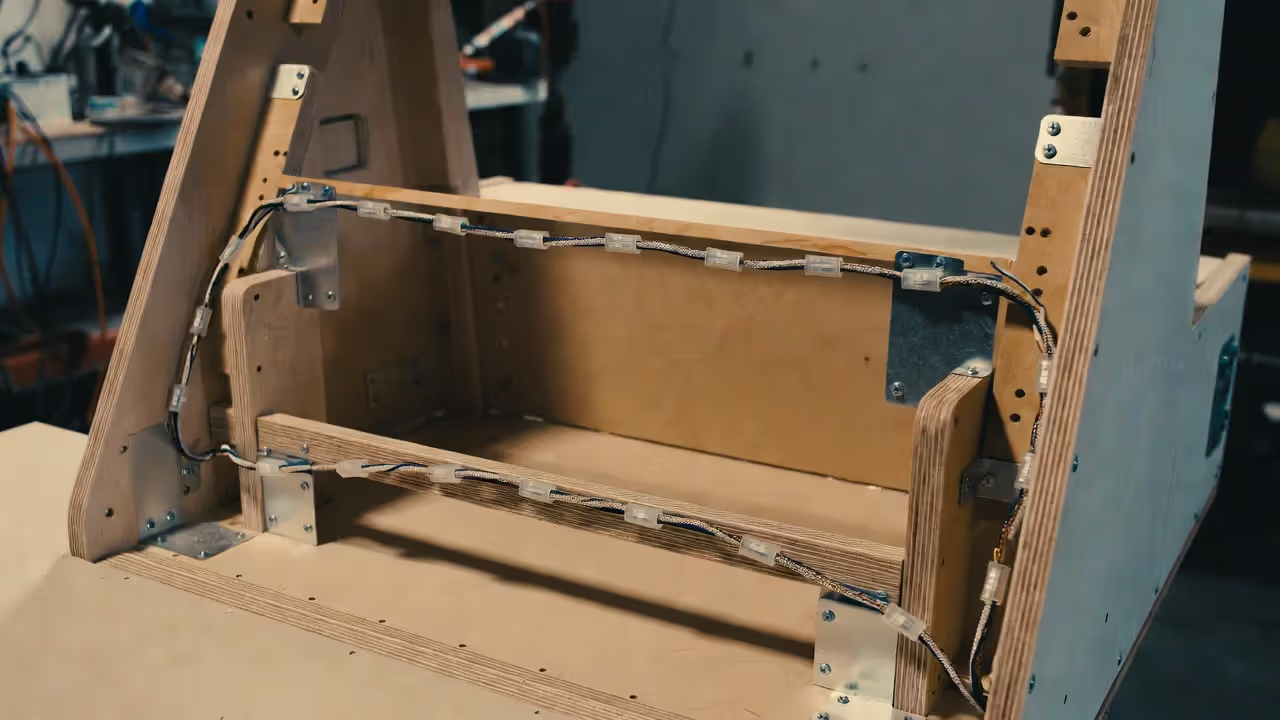
Quality reveals itself in ways most buyers miss during that first excited viewing. Grab the sides of the cabinet and give it a shake. A well-built machine barely moves—that's 3/4-inch laminated plywood with corner bracing doing its job. Cheap constructions wobble because they used thin MDF or particle board without proper reinforcement.
Look at the edges where side panels meet the control panel. Premium manufacturers routed channels into the wood, then pressed T-molding (that plastic edge trim) into those grooves. Budget builders glued flat trim onto unrouted edges. The glued version peels off within a year. The routed version lasts decades because it's mechanically locked in place.
Williams, Atari, and Nintendo built machines expecting 8-12 hours of daily operation in smoke-filled arcades. Their cabinets used powder-coated metal brackets at stress points, sealed interior wood against moisture, and installed heavy-gauge steel coin doors with actual locks that worked. When you spent $2,400 on a Defender cabinet in 1981 (around $8,000 in today's money), you got furniture-grade construction.
Reproduction cabinets skip these details. The coin door bends if you press hard. The control panel flexes during aggressive play. Six months later, you'll spot hairline cracks spreading from the mounting holes.
Open the back door and inspect the interior wood. Quality cabinets have smooth, sealed surfaces. Budget jobs show bare particle board that swells when humidity changes.
Author: Tyler Brooks;
Source: quantumcatanimation.com
Control Panel Construction and Component Quality
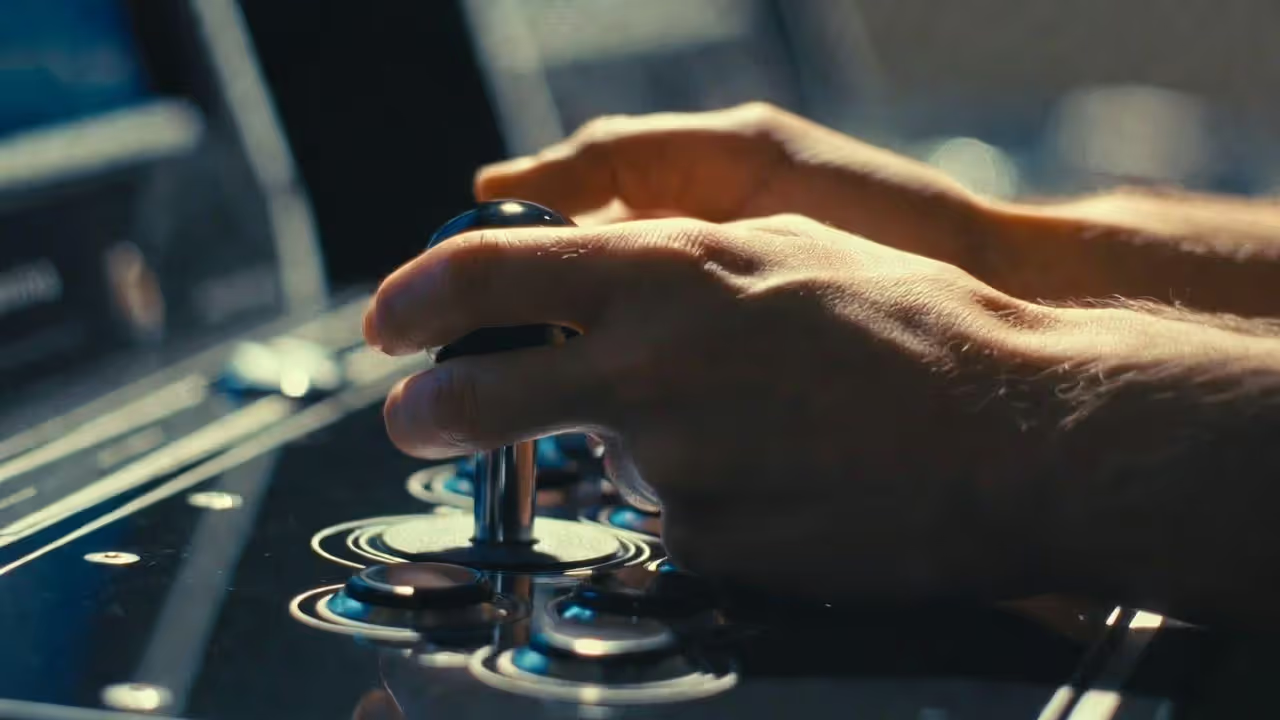
Here's where you separate players from collectors: press the buttons and work the joystick. Genuine Sanwa or Happ components produce a crisp click with immediate return. You feel the microswitch actuate. Knockoff parts feel mushy, sometimes sticking halfway before clicking, other times requiring you to slam the button twice for one credit.
Original Japanese arcade buttons (Sanwa OBSF-30) cost $3-4 each. American Happ competition buttons run $2.50-3.50. Amazon specials sell for 80 cents but use membrane switches rated for maybe 100,000 presses instead of the 10 million cycles real arcade components handle.
Joysticks matter even more. A Sanwa JLF-TP-8YT—the standard in Japanese cabinets—has a square restrictor gate, four microswitches mounted to a PCB, and a replaceable shaft. It feels identical after 20 years because the components were designed for replacement. The entire unit costs $28-35. Cheap joysticks use a single dome switch underneath that wears out in six months, and you can't replace parts—you trash the whole thing.
Control panel mounting tells you about the entire cabinet's construction philosophy. Proper panels bolt through metal brackets with captured nuts. Quick-flip cabinets used hinges so operators could access internals without tools. Garbage-tier builds use wood screws driven directly into MDF. First time you remove that panel for maintenance? Those screw holes strip out, and now your control panel wobbles forever.
Check the wiring. Legitimate cabinets have organized harnesses with proper crimp connectors, wire looms, and strain relief where cables enter the control panel. If you see twisted bundles held with electrical tape or—worse—wire nuts like you'd find in house wiring, walk away. That's a fire waiting for an excuse.
Author: Tyler Brooks;
Source: quantumcatanimation.com
Monitor Technology: CRT vs. LCD Considerations
This debate gets religious fast. I'll give you facts, you make the call for your situation.
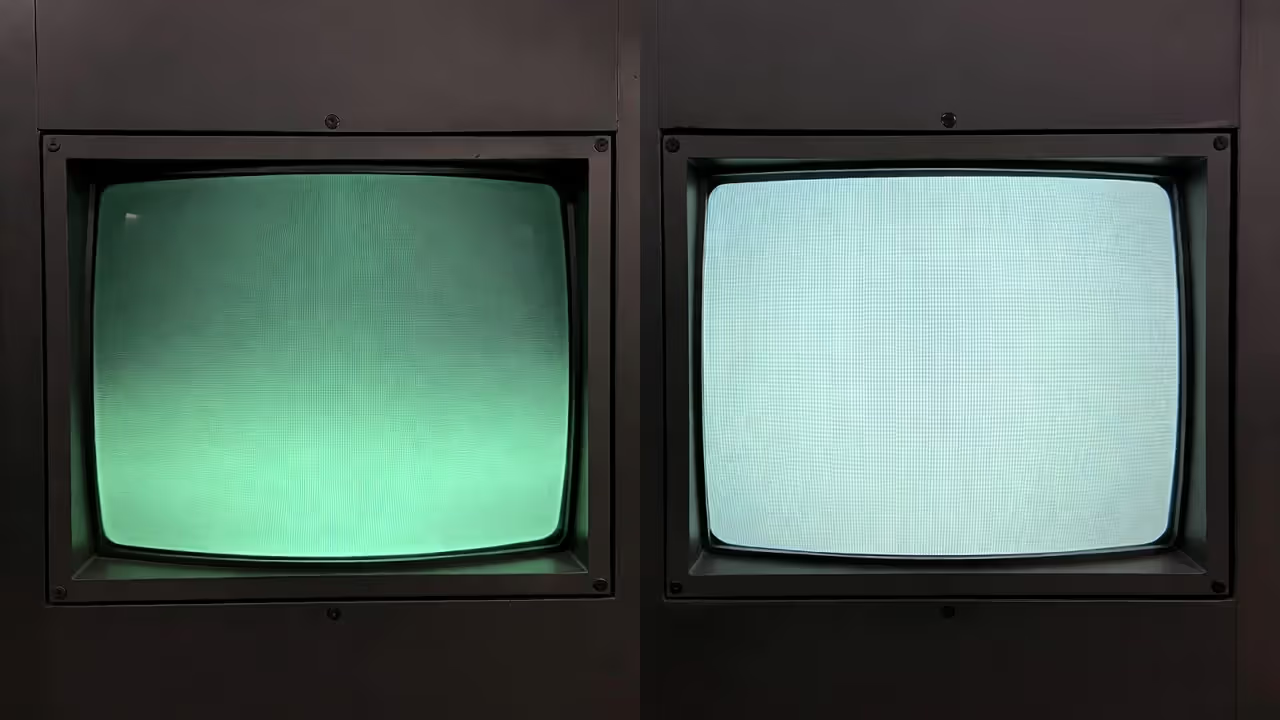
CRT monitors are what these games were designed for—an electron gun firing phosphor dots in horizontal lines 60 times per second. That creates scan lines, natural glow, and literally zero input lag. When you press a button on a CRT cabinet, the response is instant because there's no digital processing. Competitive players and purists won't accept anything else.
But CRTs bring headaches. A Wells Gardner 25-inch monitor weighs 75 pounds by itself. It generates enough heat to warm a small room. The high-voltage section runs at 25,000 volts—respect it or risk serious injury. Finding replacement tubes gets harder every year. A working Wells Gardner D9200 or K7000 costs $350-500 if you can locate one. Restoring a dead CRT through recapping and component replacement runs $200-400 at the few shops still doing this work.
Color CRTs need periodic adjustment. The image drifts—you'll notice the screen slightly off-center or colors bleeding at edges. Adjusting horizontal hold, vertical size, and convergence requires accessing the monitor chassis while it's powered on. Uncomfortable doing that? You're paying a tech $100-150 per service call.
LCDs solve practical problems while creating aesthetic ones. A decent 4:3 LCD monitor with low lag (under 10ms) costs $250-400, weighs maybe 10 pounds, never needs adjustment, and you can actually find them for sale. But LCD pixels are square grids of light. CRT phosphor dots glow and bleed into each other slightly. Games designed for CRT look "wrong" on LCD—sharper but less organic.
Scanline filters on LCDs try replicating CRT appearance by drawing black lines between pixel rows. They look okay from six feet away. Up close, you'll spot the difference immediately.
My take: If the cabinet has a working CRT, keep it and enjoy it while it lasts. But source a backup LCD with proper mounting brackets now, while you're not desperate. When that CRT inevitably dies (and it will), you'll have options instead of a 250-pound paperweight.
Author: Tyler Brooks;
Source: quantumcatanimation.com
The Golden Age Machines That Define Arcade Excellence (1978–1985)
Some famous arcade machines matter more than others—not just for nostalgia but because they represented genuine breakthroughs in design, gameplay, or cultural impact.
Pac-Man (1980, Namco/Midway) - Toru Iwatani designed the character to appeal to women and couples, not just teenage boys. The cabinet's rounded marquee and yellow/orange color scheme stood out against the blacks and reds dominating arcades. That four-way joystick controlled the first character-driven game that required pattern recognition instead of reflexes. Namco and Midway produced over 400,000 units worldwide—the best-selling arcade game in history. Finding one in good shape today runs $2,200-4,000. Pristine examples with perfect artwork hit $8,000-plus.
Donkey Kong (1981, Nintendo) - Shigeru Miyamoto's debut changed everything. The cabinet told a story through its artwork—Mario, Pauline, and the angry ape appeared on the marquee, control panel overlay, and side art in a visual narrative. The monitor bezel art showed the construction site, creating continuity with the on-screen action. Dedicated Donkey Kong cabinets command $3,200-6,500 depending on condition. Restorations can exceed $8,000.
Star Wars (1983, Atari) - The cockpit version put you in the trench run with a yoke controller and Atari's color vector monitor displaying wireframe graphics. That Quadrascan monitor technology required specialized knowledge for maintenance—expect to pay a premium for working examples. Cockpit units sell for $4,500-8,500. The upright version (less desirable but more common) goes for $2,800-5,500.
Dragon's Lair (1983, Cinematronics) - Don Bluth's laserdisc game played like an interactive cartoon. The cabinet design emphasized the monitor since graphics were the selling point. Under the hood sat a Pioneer LD-V1000 industrial laserdisc player—expensive in 1983, nearly impossible to replace today. Technical complexity killed most cabinets years ago. Working examples bring $3,800-7,500, with condition and laserdisc player functionality determining the high end.
Galaga (1981, Namco/Midway) - That blue and gold cabinet with the dual-fighter mechanic defined the fixed shooter genre. Operators loved it because the game stayed challenging while remaining fair—high repeat play value. Production numbers were massive, making Galaga relatively affordable today at $1,600-3,200 for decent condition.
Tempest (1981, Atari) - Dave Theurer's vector game with spinner control created a unique experience that's still difficult to emulate properly. The cabinet's angular design matched the game's geometric aesthetic. Vector monitor scarcity affects pricing significantly. Budget $2,800-5,500 with the upper range requiring a fully serviced monitor.
Between 1980 and 1983, manufacturers weren't building disposable electronics—they engineered revenue-generating furniture that operators expected to earn quarters for five to ten years minimum. That's why forty years later, you can still find functioning machines. They built them to last because their customers demanded it.
— Walter Day, founder of Twin Galaxies and the International Video Game Hall of Fame
How Arcade Hardware Changed What Cabinets Could Deliver (1986–1999)
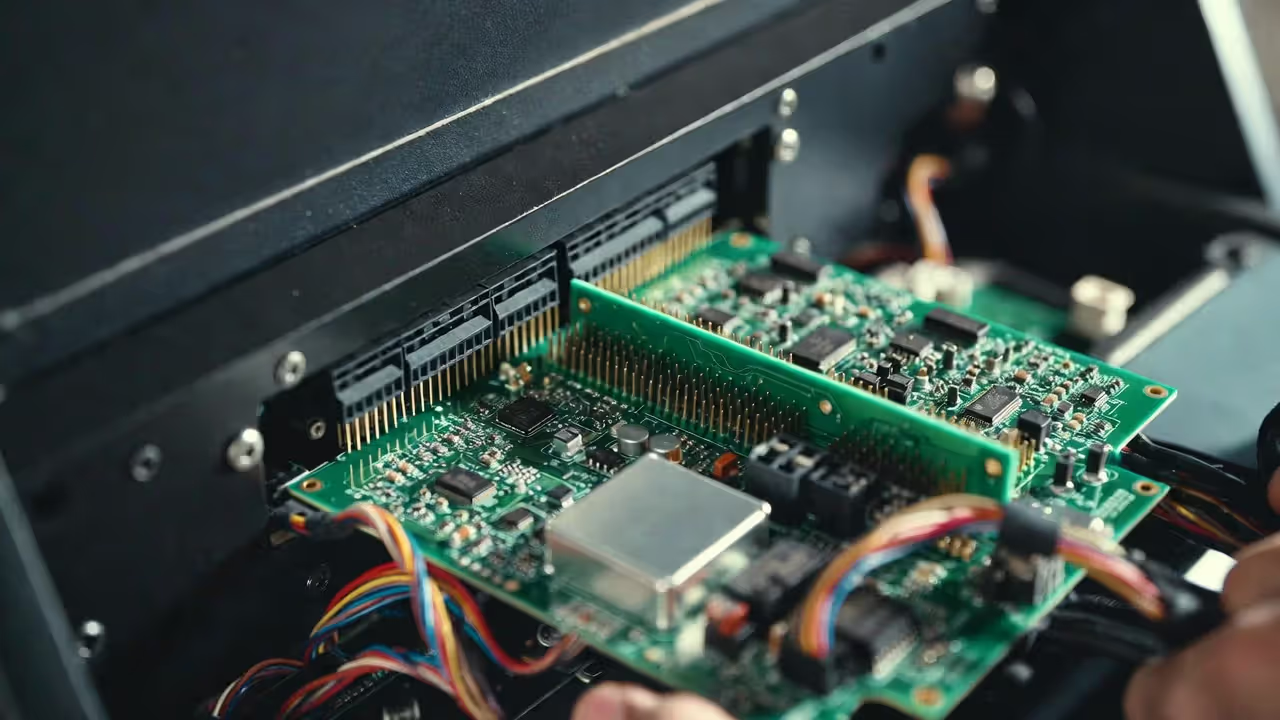
Cabinet design history got rewritten in 1985 when Japanese manufacturers agreed on a connector standard that changed operator economics completely. Before the Japan Amusement Machine and Marketing Association created their 56-pin edge connector specification, swapping games meant rewiring the entire cabinet—literally hours of work tracing wires and matching connections. After JAMMA, operators pulled one PCB, plugged in another, and had a "new" game running in 15 minutes.
This standardization birthed generic "JAMMA cabinets"—plain black boxes with simple control panels designed for weekly game rotation instead of showcasing a single title. Dedicated cabinets became premium offerings while conversion kits dominated the market.
Arcade hardware evolution drove these changes. Space Invaders displayed monochrome graphics with colored plastic overlays taped to the monitor. By 1987, R-Type pushed 256 simultaneous sprites across multiple scrolling layers. These graphical capabilities needed larger displays. The industry standard jumped from 19-inch to 25-inch monitors, forcing cabinet redesigns to accommodate CRTs that weighed 30 pounds more.
Author: Tyler Brooks;
Source: quantumcatanimation.com
Sound systems went from simple beeps to FM synthesis chips (Yamaha YM2151) to eventually CD-quality digital audio. Capcom's CPS-2 board from 1993 included dedicated audio processors that operators matched with amplifiers and larger speaker systems. Fighting game cabinets started featuring stereo configurations—two speakers instead of one mono unit.
The split between dedicated cabinets and conversion kits created a collector's market divide that persists today. Dedicated Street Fighter II cabinets with custom control panels, proper artwork, and original components sell for $2,200-4,200. That same game board in a generic JAMMA cabinet with printed side art brings $900-1,600. Same gameplay, radically different collector value.
SNK's Neo Geo MVS system (1990) took modularity further by letting operators install up to six game cartridges in one cabinet. Players selected titles from a menu—efficient for business, terrible for visual impact. No custom marquees, no dedicated side art, just a black box that played 100+ games. Collectors appreciate Neo Geo cabinets because one machine accesses an entire library, but they lack the aesthetic appeal of single-game dedicated units.
Technical specifications improved steadily. The Motorola 68000 processor became the standard CPU, running at 12-16 MHz. Custom graphics chips from companies like Capcom (CPS-1, CPS-2) and SNK (Neo Geo) delivered sprite counts and color depths that home consoles couldn't match until the mid-1990s. Cabinets housing this advanced hardware commanded premium pricing from operators—and now from collectors.
Where to Buy Authentic Arcade Cabinets and What to Inspect Before Purchase
Finding quality machines requires knowing where sellers with actual knowledge congregate. Facebook Marketplace and Craigslist host most listings, but you're sorting through people who found grandpa's cabinet in the garage and think "old = valuable." Asking price: $4,000 for a water-damaged Asteroids with a dead monitor.
Better sources exist. KLOV (Killer List of Videogames) forums connect serious collectors. Arcade Controls attracts enthusiasts who understand what makes machines valuable. These communities police themselves—members call out unrealistic pricing and identify problematic sellers.
Arcade-specific auctions like those from Vintage Arcade Superstore offer authentication but you'll pay for that certainty. Estate sales occasionally yield pristine private collection finds, though you're competing against dealers who know market values better than you do.
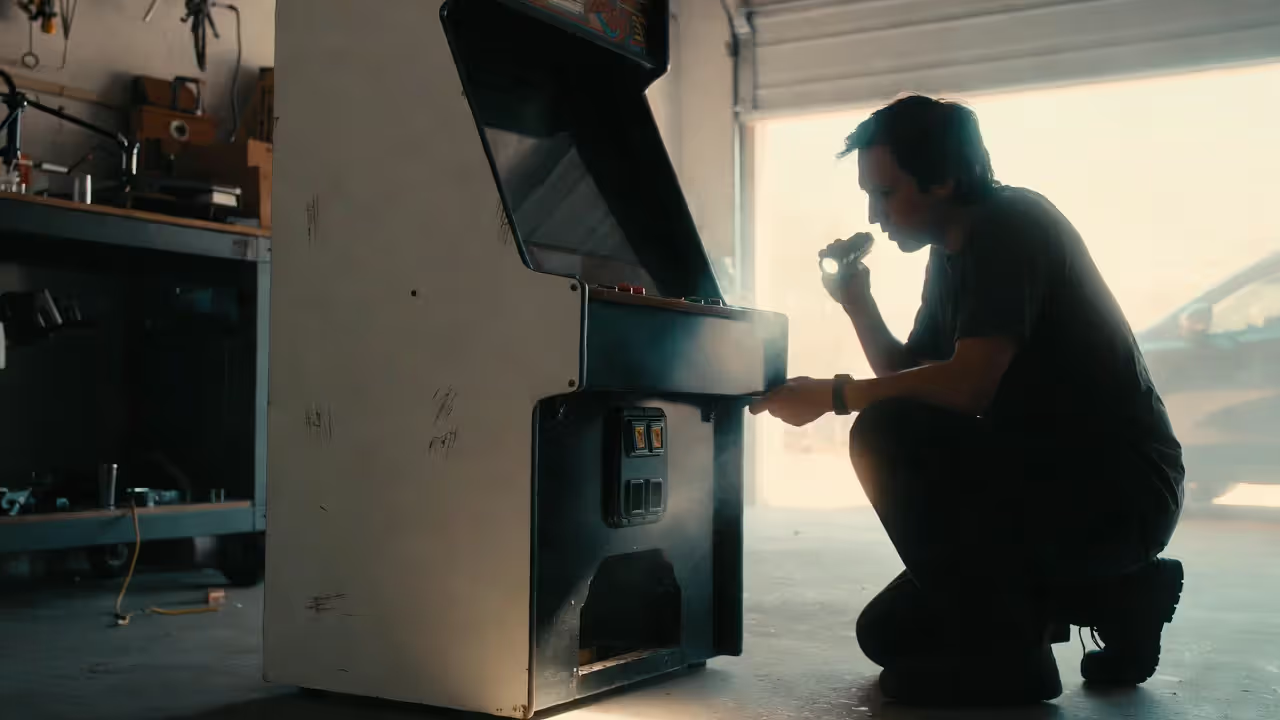
Never buy without inspecting in person. Photos hide problems obvious within 30 seconds of examination. Here's what I check:
Monitor function - Power it on and play a game for 10 minutes. Watch the entire screen—burn-in (permanent ghost images) shows up best during solid color screens. Color purity problems manifest as red, green, or blue tinting in specific screen areas. Geometric distortion means the image bows or curves. Any of these issues requires $250-550 in repair or monitor replacement.
Author: Tyler Brooks;
Source: quantumcatanimation.com
Cabinet water damage - Crouch down and inspect the bottom interior edges. Water damage appears as swelling, delamination, or black mold spots. Run your finger along the inside bottom edge—it should feel solid. Sponginess means water compromised the wood structure. Even seemingly minor water damage spreads and worsens over time.
Control panel wear - Original artwork shows predictable wear patterns around buttons and joysticks. Hands leave marks over thousands of hours. But excessive wear, amateur touch-up paint, or crudely applied stickers reduce value significantly. Replacement control panel overlays cost $35-90 but never quite match original print quality and lamination.
Side art condition - Original side art adds $400-800 in value over reproduction art. Check for fading (acceptable), peeling (problematic), and large scratches or gouges (deal-breaker). Direct sunlight, cigarette smoke, and harsh cleaners degraded most original side art over 40 years. Reproduction side art runs $180-450 per side but collectors spot it immediately due to color shifts and printing patterns.
Coin door and locks - The coin door should match the manufacturer. A Pac-Man cabinet with a generic coin door signals parts-bin assembly or operator replacements. Missing keys happen, but broken locks or obviously forced doors indicate rough handling. Original coin mechanisms function smoothly with proper spring tension.
Pricing depends heavily on condition and title popularity:
- Project cabinet (doesn't boot, needs work): $250-650
- Working but cosmetically rough (plays fine, looks worn): $900-1,600
- Good condition (functional, minor cosmetic wear): $1,600-3,800
- Excellent or professionally restored (looks new): $3,200-8,500 and up
Popular titles command premiums. That Donkey Kong cabinet in excellent condition? Easily $5,000-7,000 despite falling in the "excellent" category.
Modern Reproduction Cabinets vs. Original Units: Cost and Quality Breakdown
Arcade1Up changed the reproduction market completely when they started selling licensed 3/4-scale cabinets for $300-500. Suddenly casual players could own a "Pac-Man machine" without spending $3,000 or dedicating 25 square feet of floor space.
But that savings comes with trade-offs serious players notice immediately. The 3/4 scale means a 17-inch monitor instead of 19-25 inches. Your peripheral vision changes—you're looking at the game differently than you would on original hardware. The joysticks and buttons feel mushy compared to arcade components because Arcade1Up uses budget consumer-grade switches instead of commercial equipment rated for millions of presses.
Build quality reflects the price. These cabinets use thin MDF with printed graphics instead of laminated wood with vinyl artwork. The entire cabinet weighs 65-70 pounds versus 220-300 pounds for originals, which affects stability when you're really working that joystick. That said, for apartment dwellers wanting multiple titles in limited space, the compromises make sense. You're playing games, not investing.
Custom builders serve the premium reproduction market. RecRoomMasters, Haruman Customs, and similar companies build full-size cabinets with genuine arcade components, proper monitor configurations, and appropriate materials. A custom multicade cabinet playing 60+ games costs $2,200-4,200 depending on features. These use real Sanwa or Happ joysticks, proper-thickness laminated wood, and professional vinyl artwork that closely approaches original quality.
Licensed reproductions from companies like Numskull and Replicade target collectors specifically. These limited editions feature accurate scaling, officially licensed artwork, and significantly better components than budget options. Prices run $450-850, landing between Arcade1Up and full custom builds.
The authenticity question matters for different reasons depending on your goals. Original cabinets carry historical weight—you're playing the actual hardware that occupied arcade floors decades ago. Reproductions give you convenience, modern reliability, and sometimes genuinely better features (LED-backlit marquees, LCD displays that never need adjustment, power supplies that won't spontaneously fail after 35 years).
Value retention differs dramatically between categories. Original cabinets in good shape appreciate 3-5% annually, sometimes more for rare titles. That Galaga cabinet you bought for $1,800 in 2015 sells for $2,600-3,000 today. Reproductions depreciate like laptops—a three-year-old Arcade1Up cabinet sells for 40-50% of its original retail price. Custom-built cabinets hold value better than mass-market reproductions but never match authentic units for long-term appreciation.
Common Buyer Mistakes When Shopping for Arcade Cabinets
Underestimating physical dimensions - Standard upright cabinets measure 26 inches wide, 32 inches deep, and 68-72 inches tall. Sounds manageable until you're trying to navigate a 30-inch hallway corner with a 300-pound box. Measure your entire route from truck to final destination—doorways, stairwell turns, basement ceiling height. I watched someone buy a Star Wars cockpit cabinet without checking basement stairwell width. It didn't fit. He ended up cutting the cabinet apart, moving it in pieces, and reassembling it. Destroyed the collector value completely.
Ignoring electrical requirements - Most cabinets run on standard 120V/15A household power. But vector monitor games like Tempest draw heavy current during startup, occasionally tripping breakers if other devices share the circuit. Some imported Japanese cabinets require 100V or specific amperage. Verify power requirements before hauling a 280-pound cabinet into your basement. Dedicated circuits for game rooms cost $150-300 if you need an electrician.
Buying incomplete cabinets - Sellers conveniently omit crucial missing components. That "working cabinet" lacks the original control panel overlay ($50-80), coin door ($100-200), or marquee ($75-150). Replacement parts for Pac-Man or Donkey Kong? Available but expensive. Parts for rare titles? Good luck finding an original Tempest spinner or Dragon's Lair laserdisc player. Could take months and cost hundreds when you do locate them.
Overpaying for conversions - Generic JAMMA cabinets with swapped artwork sell for 40-60% less than dedicated originals. A Pac-Man conversion in a Galaga cabinet might play correctly but lacks collector appeal. Before paying premium pricing, verify that side art, control panels, and marquees match the original cabinet design. Conversions work fine for playing games. They're lousy investments.
Neglecting restoration costs - That $550 "project cabinet" looks like a bargain. Then you actually price repairs: Monitor restoration $250-450, control panel rebuild $175-350, side art reproduction $350-850, cabinet structural repairs $250-550. Your $550 bargain just became a $1,600-2,750 project before you've even finished. Almost always better to buy the best condition you can afford upfront.
Skipping transportation planning - These machines weigh 200-350 pounds and absolutely require two people minimum for safe moving. One person cannot safely maneuver an arcade cabinet up stairs or through tight doorways. Professional arcade movers charge $250-450 for local delivery. Rental trucks need proper tie-downs and padding—a shifting cabinet damages itself and crushes anything nearby. Enclosed trucks or vans work better than pickup beds because they protect from weather and theft during transport.
Trusting vague seller descriptions - "Works great!" often translates to "I powered it on six months ago and the monitor lit up." Request recent gameplay video showing the full screen, all controls functioning, and sound working. Ask specific questions: When did you last play it regularly? What repairs have been done? Are original parts included, or have you replaced components? Vague answers mean the seller doesn't know the machine's actual history—or they're hiding problems.
Comparison of Top 10 Arcade Cabinets by Era, Hardware Specs, and Current Market Value
| Cabinet Name | Release Year | Original Hardware (CPU/Graphics) | Control Type | Average Resale Price (Good Condition) | Collectibility Rating |
| Pac-Man | 1980 | Z80 processor / Custom graphics chip | 4-way joystick | $2,000-$4,000 | 9/10 |
| Donkey Kong | 1981 | Z80 processor / Custom graphics chip | 8-way joystick plus jump button | $3,000-$6,000 | 10/10 |
| Galaga | 1981 | Three Z80 processors / Namco graphics | 2-way joystick plus fire button | $1,500-$3,000 | 8/10 |
| Ms. Pac-Man | 1982 | Z80 processor / Custom graphics chip | 4-way joystick | $1,800-$3,500 | 8/10 |
| Tempest | 1981 | M6502 processor / Vector graphics display | Spinner dial plus fire button | $2,500-$5,000 | 9/10 |
| Star Wars | 1983 | M6809 processor / Vector graphics display | Flight yoke plus four buttons | $4,000-$8,000 | 10/10 |
| Dragon's Lair | 1983 | Z80 processor / Laserdisc video playback | 8-way joystick plus sword button | $3,500-$7,000 | 9/10 |
| Street Fighter II | 1991 | Motorola 68000 / CPS-1 board | 8-way joysticks (2 player) plus 6 buttons each | $2,000-$4,000 | 9/10 |
| Mortal Kombat | 1992 | TMS34010 processor / Custom graphics | 8-way joysticks (2 player) plus 5 buttons each | $1,800-$3,500 | 8/10 |
| NBA Jam | 1993 | TMS34010 processor / Custom graphics | 8-way joysticks (4 player) plus 3 buttons each | $2,000-$4,500 | 8/10 |
FAQ: Choosing and Maintaining Arcade Cabinets
Selecting the right arcade cabinet balances nostalgia, available budget, and practical space considerations. Originals offer authenticity and potential appreciation but demand maintenance knowledge and significant room. Reproduction units provide reliable gameplay in compact footprints while lacking the historical connection and investment potential. Understanding build quality markers, knowing what problems to inspect before purchase, and avoiding common mistakes helps you find a cabinet delivering years of enjoyment instead of expensive regret. The machines that defined gaming's formative years remain accessible to collectors willing to learn what distinguishes exceptional examples from overpriced disasters.