Where modern PC gaming was forged
DOS Games Guide for Beginners

Content
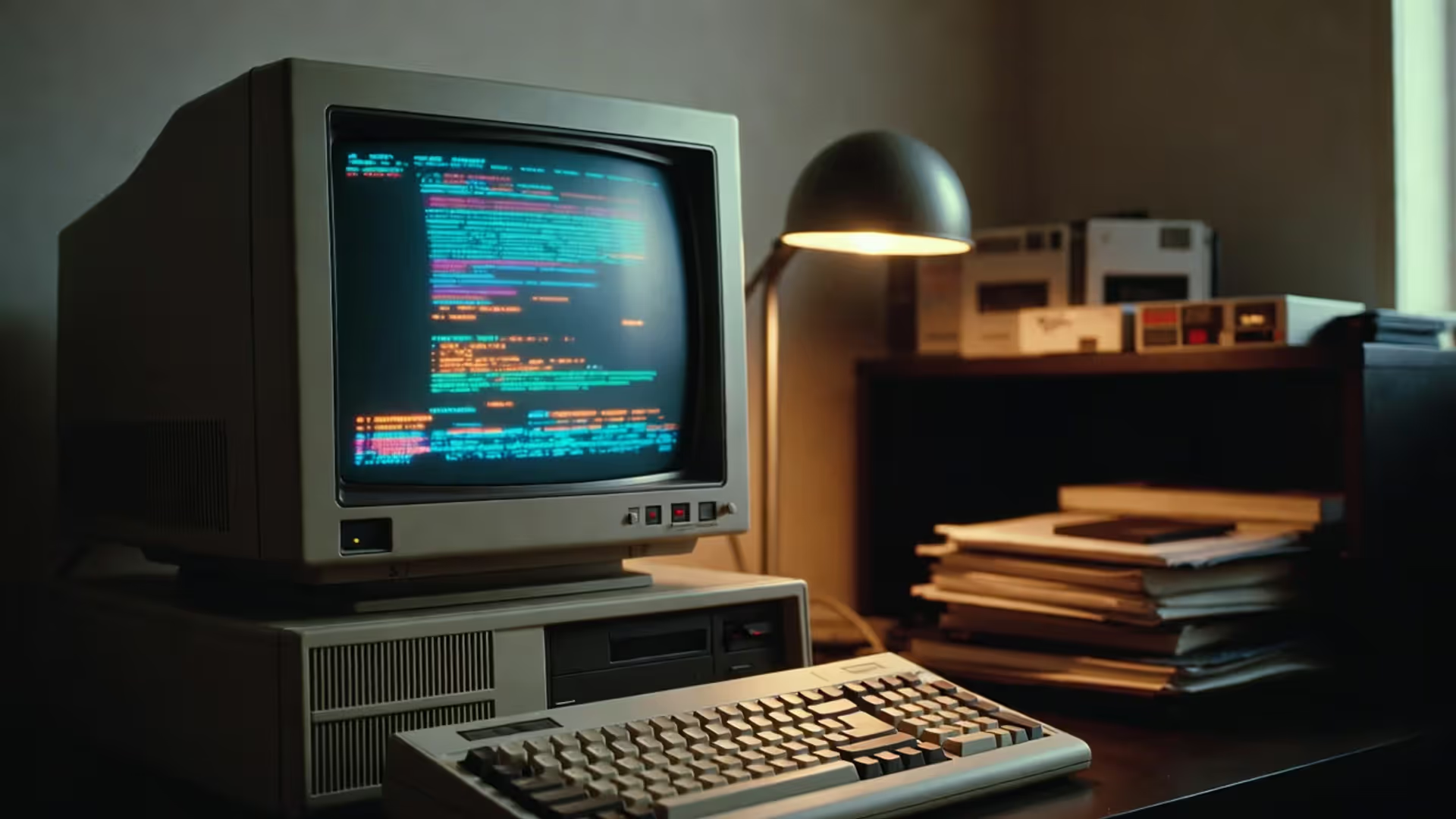
Microsoft's Disk Operating System, commonly known as MS-DOS, dominated personal computing from 1981 through the mid-1990s. Unlike modern operating systems with graphical interfaces, DOS required users to type commands directly into a black screen—a seemingly primitive approach that paradoxically created ideal conditions for gaming innovation.
DOS gave programmers direct hardware access. Developers could write code that spoke directly to the processor, memory, graphics card, and sound hardware without layers of abstraction getting in the way. This low-level control meant games could squeeze every ounce of performance from relatively weak hardware. A 386 processor running at 33 MHz could deliver surprisingly complex simulations and fast-paced action because programmers optimized their code for specific hardware configurations.
The system's minimal overhead left maximum resources available for games. While modern operating systems reserve gigabytes of RAM and significant processor cycles for background tasks, DOS itself consumed perhaps 640 KB of conventional memory—often less. Everything else belonged to the game. This efficiency explains why developers could create rich gaming experiences on machines with 4 MB of total RAM.
Between 1985 and 1995, DOS established PC gaming as a distinct culture separate from console gaming. The platform attracted older audiences willing to tinker with CONFIG.SYS and AUTOEXEC.BAT files to optimize memory management. This technical barrier to entry created a community that valued complexity, depth, and innovation over accessibility. Strategy games with steep learning curves, sprawling RPGs with hundreds of hours of content, and intricate simulations found their home on DOS when consoles offered primarily action-focused experiences.
The lack of standardization paradoxically drove innovation. Unlike console developers working with fixed hardware, PC game creators had to accommodate various graphics cards (CGA, EGA, VGA, SVGA), sound cards (AdLib, Sound Blaster, Roland MT-32), and processor speeds. This challenge forced developers to build flexible engines and modular designs that would influence game architecture for decades.
Genre-Defining DOS Games That Shaped Modern Gaming
Adventure and RPG Classics
Author: Megan Lewis;
Source: quantumcatanimation.com
LucasArts perfected point-and-click adventure games through titles like The Secret of Monkey Island (1990) and Day of the Tentacle (1993). These games introduced the SCUMM engine's verb-based interface and established that adventure games didn't need dead-ends or unfair puzzles to challenge players. The writing quality and humor set standards that modern narrative games still reference.
Ultima VII: The Black Gate (1992) created a living world where NPCs followed schedules, ovens actually baked bread, and you could move nearly every object. Origin Systems built an immersive simulation that made most RPGs feel static by comparison. The game's engine allowed emergent gameplay—you could kill quest-critical NPCs and still complete the game through alternative paths.
Interplay's Fallout (1997) arrived near DOS's twilight but demonstrated how deep RPG systems could combine with branching narratives. Its SPECIAL character system and consequence-driven storytelling influenced countless post-apocalyptic games. The isometric perspective and turn-based combat created a template that Interplay would revisit for years.
Baldur's Gate (1998) brought Advanced Dungeons & Dragons to life with unprecedented fidelity. BioWare's Infinity Engine rendered gorgeously detailed isometric environments and managed complex party-based combat. The game proved that hardcore RPG mechanics could coexist with cinematic storytelling.
Strategy and Simulation Pioneers
Sid Meier's Civilization (1991) invented the 4X strategy genre—explore, expand, exploit, exterminate. The "one more turn" addictiveness came from perfectly balanced risk-reward decisions at every scale. Players managed individual cities while planning continent-spanning empires, with technological progress spanning from 4000 BC to the space age.
SimCity 2000 (1993) refined Maxis's urban planning simulation into an elegant system where zoning, utilities, and transportation created emergent complexity. The game taught basic civil engineering and urban economics while remaining entertaining. Its success spawned countless simulation games across every imaginable domain.
Westwood Studios defined real-time strategy with Dune II (1992), then perfected it with Command & Conquer (1995). The mouse-driven interface, resource gathering, base building, and unit production became RTS fundamentals. The genre's competitive multiplayer scene grew directly from these foundations.
X-COM: UFO Defense (1994) blended turn-based tactical combat with strategic base management and resource allocation. Permadeath made every soldier valuable. The crushing difficulty and high stakes created tension that few games matched. Modern strategy games still chase X-COM's formula of meaningful choices under pressure.
Author: Megan Lewis;
Source: quantumcatanimation.com
Action and Arcade Ports
id Software revolutionized gaming three times during the DOS era. Commander Keen (1990) proved smooth scrolling action games could work on PC. Wolfenstein 3D (1992) popularized first-person shooters with its fast-paced corridor combat. Then Doom (1993) changed everything—networked multiplayer, modding support, and visceral gameplay created a cultural phenomenon. Quake (1996) added true 3D environments and competitive multiplayer that birthed esports.
Prince of Persia (1989) used rotoscoped animation to create fluid, realistic movement. The precise platforming and one-hour time limit generated intense pressure. Jordan Mechner's design influenced action-adventure games for decades, with the series itself continuing through multiple console generations.
Apogee's shareware model transformed game distribution. Duke Nukem (1991), Wolfenstein 3D, and countless others offered the first episode free, with subsequent episodes available by mail order. This try-before-you-buy approach built audiences without traditional publishers or retail shelf space.
Author: Megan Lewis;
Source: quantumcatanimation.com
How to Play DOS Games on Modern Systems
Modern Windows, macOS, and Linux systems can't run DOS games natively—the hardware architecture and operating system designs have changed too fundamentally. Emulation bridges this gap by recreating DOS hardware in software.
DOSBox and Browser-Based Emulators
DOSBox remains the gold standard for DOS emulation. Download it from dosbox.com, install it, and you'll have a virtual DOS computer inside your modern system. The default configuration works for most games, but you'll often need to adjust CPU cycles—the emulated processor speed—to match what games expect.
Start DOSBox, and you'll see a Z:> prompt. Mount your games folder as a virtual drive by typing: mount c c:\games (Windows) or mount c ~/games (Mac/Linux). Switch to that drive with c:, navigate to your game folder with cd gamename, then run the game's executable.

Author: Megan Lewis;
Source: quantumcatanimation.com
CPU cycle adjustment matters more than any other setting. Press Ctrl+F11 to decrease cycles or Ctrl+F12 to increase them. Games running too fast need fewer cycles; games stuttering or showing slow animation need more. Most games from 1990-1993 run well at 10,000-15,000 cycles. Later titles might need 30,000 or more.
DOSBox-X extends the original with better hardware emulation, Windows 3.1 support, and additional features for power users. It's overkill for most games but invaluable for running complex software or testing different hardware configurations.
The Internet Archive hosts thousands of DOS games playable directly in your browser through an emscripten-compiled version of DOSBox. Visit archive.org/details/softwarelibrary_msdos_games, search for a title, and click the power button icon. No installation required, though performance varies with your browser and internet connection. This option works brilliantly for testing games before committing to a local setup.
Legal Sources for Downloading DOS Titles
GOG.com sells hundreds of DOS classics bundled with pre-configured DOSBox installations. Buy a game, download it, run the installer, and everything works. Prices typically range from $5-10, with frequent sales. GOG's versions include manuals, soundtracks, and other extras scanned from original releases.
Many DOS games have been released as freeware by their original developers. EA freed Command & Conquer and several other Westwood titles. 3D Realms released early Duke Nukem games. id Software's early catalog is freely available. Always verify that downloads come from legitimate sources—developers' official sites, GOG, or reputable archives.
Abandonware exists in a legal gray area. Games whose publishers no longer exist and which aren't sold commercially often circulate on abandonware sites. While copyright technically persists, enforcement is rare for 30-year-old games with no commercial availability. Make your own ethical determination here.
The Internet Archive's software collection includes games under various legal theories—some are clearly authorized, others rely on fair use arguments for preservation. The legality remains unsettled, but prosecution of individual users for downloading decades-old software has been virtually nonexistent.
DOS Emulation Methods Comparison
| Method | Ease of Use | Compatibility | Key Features | Best For |
| DOSBox | Moderate | Excellent | Highly configurable, active development, cross-platform | Most games, best performance |
| DOSBox-X | Complex | Excellent | Advanced hardware emulation, Windows 3.x support | Complex software, power users |
| Browser (Archive.org) | Very Easy | Good | No installation, instant play, built-in saves | Quick testing, casual play |
| ScummVM | Easy | Perfect (for supported games) | Enhanced graphics/sound, modern conveniences | LucasArts/Sierra adventures |
ScummVM deserves special mention for adventure game fans. Rather than emulating DOS hardware, it reimplements game engines directly. Supported games run with enhanced graphics, modern aspect ratios, better sound, and quality-of-life features like autosave. If you're playing Monkey Island, Day of the Tentacle, or Sierra's Quest series, use ScummVM instead of DOSBox.
Why DOS Era Classics Still Matter to Gamers Today
Game design was leaner in the DOS era. Limited storage capacity and memory meant every asset served a purpose. Developers couldn't hide weak gameplay behind cinematics or massive open worlds filled with collectibles. Games needed tight core loops that remained engaging for hours. Modern indie developers often study DOS classics to understand how constraints breed creativity.
The DOS era forced us to focus on what made games fun at their core. You couldn't rely on graphics to carry a weak design. Every system had to be interesting, every level had to teach something new. Those limitations made us better designers.
— John Romero, co-creator of Doom and Quake
The modding communities that formed around DOS games pioneered user-generated content. Doom WAD files, Duke Nukem 3D BUILD engine maps, and Civilization scenario editors gave players creative tools. These communities developed the practices and norms that govern modding today—documentation, version compatibility, credit attribution, and quality standards.
Speedrunning owes much to DOS games. Titles like Doom, Quake, and Prince of Persia had built-in timers that encouraged fast completion. The deterministic nature of DOS emulation means runs are perfectly reproducible. Classic DOS games remain speedrunning staples because their tight design rewards mastery without requiring hundreds of hours grinding for random drops or optimal character builds.
Preservation efforts keep gaming history accessible. The DOS era represents gaming's adolescence—when the medium developed its identity separate from arcades and consoles. Losing these games would erase crucial context for understanding modern design. Organizations like the Internet Archive, GOG, and the Museum of Play work to ensure these titles remain playable.
The technical knowledge required to run DOS games teaches valuable computing skills. Editing configuration files, understanding memory management, troubleshooting hardware conflicts—these challenges introduce concepts relevant to modern IT work. Young players who dive into DOS gaming often develop broader technical literacy.
Author: Megan Lewis;
Source: quantumcatanimation.com
Common Mistakes When Running Vintage DOS Software
Ignoring sound card configuration. DOS games supported various sound hardware, and most default to PC speaker beeps. Check the game's setup program (often SETUP.EXE or INSTALL.EXE) and configure it for Sound Blaster or Sound Blaster 16 emulation. In DOSBox, the default settings emulate Sound Blaster on IRQ 7, DMA 1, address 220—use these values in game setup menus.
Running games at wrong CPU speeds. Too fast and games become unplayable—characters zoom across screens, physics breaks, timers expire instantly. Too slow and everything stutters. Start at 10,000 cycles for early 90s games, adjusting up or down based on performance. Some games include built-in speed adjustment—Dune II has a game speed slider that should be set to maximum with cycles adjusted to compensate.
Skipping the manual. DOS games rarely included tutorials. Manuals explained controls, mechanics, and sometimes copy protection answers. GOG includes PDF manuals with purchased games. For freeware titles, search for manuals on replacementdocs.com or archive.org. Without the manual, you'll miss critical information about keyboard commands and game systems.
Forgetting to create save game directories. Some DOS games expect specific folder structures for saves. If saving fails, check whether the game directory includes a SAVE or SAVEGAME folder. Create it manually if missing. Set folder permissions to allow writes—some modern systems default to read-only for program folders.
Using default DOSBox configuration for all games. Create separate configuration files for games with special requirements. Copy dosbox.conf to your game folder, rename it (doomconfig.conf), edit settings specific to that game, then launch DOSBox with dosbox -conf doomconfig.conf. This prevents one game's settings from breaking another.
Overlooking graphics mode options. Many DOS games supported multiple graphics modes—CGA, EGA, VGA, SVGA. Always choose the highest available (usually VGA or SVGA). Some games auto-detect and choose poorly. Run the setup program to manually select graphics hardware. The difference between EGA's 16 colors and VGA's 256 colors is dramatic.
Not mapping joystick controls. If you're using a gamepad, map it through DOSBox's keymapper (Ctrl+F1). DOS games expected joysticks with 1-2 buttons or keyboard input. Modern controllers need button mapping to translate their inputs into DOS-compatible commands. Some games work better with keyboard controls anyway—mouse-driven strategy games and keyboard-focused shooters often feel awkward with gamepads.
Where the DOS Gaming Community Gathers Online
The Vintage Computer Gaming Discord server hosts active channels for DOS gaming discussion, technical support, and multiplayer sessions. Members organize regular co-op and competitive matches for games like Doom, Duke Nukem 3D, and Command & Conquer.
r/dosgaming on Reddit maintains a community of 50,000+ members sharing screenshots, asking technical questions, and recommending hidden gems. The subreddit's wiki includes setup guides, compatibility lists, and curated game recommendations by genre.
The DOSBox forums at vogons.org provide definitive technical support. Post your configuration file and describe your issue—community experts will diagnose problems that stump general gaming forums. The forums also host development discussions about DOSBox improvements and game-specific patches.
YouTube channels like LGR (Lazy Game Reviews), The Retro Hour, and Pixelmusement create content focused on DOS gaming history, hardware, and game reviews. LGR's "Oddware" series explores bizarre DOS-era peripherals, while his game reviews provide historical context and gameplay footage.
The VOGONS forums also host extensive hardware discussions for enthusiasts building period-accurate DOS machines. While emulation works for most people, some prefer authentic hardware experiences. These forums document compatible components, BIOS configurations, and period-appropriate upgrades.
Home of the Underdogs (archived at homeoftheunderdogs.net) preserves information about obscure DOS games that never achieved mainstream recognition. The site includes reviews, screenshots, and often links to downloads for games that have become freeware or abandonware.
MobyGames catalogs nearly every DOS game ever released with detailed metadata—release dates, developers, publishers, system requirements, and user reviews. It's invaluable for research or discovering games similar to ones you already enjoy.
Frequently Asked Questions About DOS Gaming
DOS games represent more than nostalgia—they're playable history demonstrating how constraints drive innovation. The technical limitations that defined the era forced developers to focus on core mechanics, creating genre-defining titles whose influence persists decades later. Modern emulation through DOSBox and browser-based options makes these games accessible to anyone curious about gaming's roots.
Whether you're exploring gaming history, studying game design, or simply seeking challenging experiences distinct from modern conventions, DOS classics offer depth that rewards investment. The active preservation community ensures these games remain playable and documented. Start with a few genre-defining titles, experiment with emulation settings, and discover why these decades-old games still attract dedicated players. The golden age of PC gaming remains just a download away.