

Imagine stepping into a fantasy realm where you're battling towering dragons in a medieval fortress, exploring alien worlds light-years away, or attending a live concert by your favorite band without ever leaving your couch. That's the magic of Virtual Reality (VR) — a technology that's no longer confined to sci-fi movies but is now an exciting part of everyday life that millions of people around the world experience regularly. Thanks to rapid advancements in hardware and software, VR headsets in 2024 are more immersive, user-friendly, and versatile than ever before, offering experiences that would have seemed impossible just a few years ago.
Over the last few years, VR technology has undergone a remarkable transformation that has fundamentally changed what consumers can expect from immersive entertainment and productivity tools. Early headsets were bulky, required a tangle of cables, and often needed powerful (and expensive) PCs to run properly, limiting their appeal to enthusiastic early adopters willing to tolerate significant inconvenience. Today's models are sleeker, more comfortable, and increasingly wireless, delivering crisp visuals, precise motion tracking, and a level of immersion that truly makes you forget the real world exists. Whether you're a passionate gamer eager to explore blockbuster VR titles, a creative professional looking for innovative design tools, or someone seeking new ways to connect with friends and colleagues, there's a VR headset out there built with you in mind.
The growth of the VR market reflects this technological maturation and increasing consumer acceptance of immersive computing as a mainstream entertainment and productivity platform. According to industry research, the global virtual reality market was valued at approximately $16.32 billion in 2024 and is projected to grow dramatically in coming years, with some estimates suggesting the market could reach over $120 billion by 2032. This growth is being driven by improvements in hardware quality, expanding content libraries, and increasing adoption across multiple industries beyond gaming, including healthcare, education, real estate, and enterprise training applications.
While gaming remains the driving force behind VR adoption — offering everything from fast-paced shooters to relaxing puzzle experiences — the potential of VR stretches far beyond entertainment into applications that are transforming how we learn, work, and connect with others. Virtual cinema lets you watch movies in a theater-like environment without leaving your home, complete with massive screens and immersive audio that rivals commercial theaters. VR social platforms and conferencing tools allow you to meet and collaborate with colleagues or friends in shared 3D environments that feel surprisingly real and engaging. And in education, VR is giving students the chance to explore historical events, scientific phenomena, and global cultures in a way that traditional textbooks never could, creating memorable learning experiences that significantly improve retention and engagement.
The growing popularity of VR has also attracted heavy investment from major tech companies like Meta, Sony, HTC, and Valve, each pushing the boundaries of what's possible and competing to define the future of immersive computing. Features like eye tracking, foveated rendering, and hand tracking are now making their way into mainstream devices, paving the way for even more natural and responsive interactions in virtual environments that reduce the learning curve for new users. And with the arrival of increasingly powerful standalone VR headsets, you no longer need an expensive gaming PC to experience high-quality virtual worlds, dramatically expanding the potential audience for VR experiences.
As VR becomes a fixture in more households and enterprises, choosing the right headset can feel overwhelming given the variety of options available at different price points and capability levels. From resolution and refresh rate to tracking methods and software ecosystems, there's a lot to consider when making a purchase decision that will define your VR experience for years to come. That's why in this guide, we'll not only break down what features matter most when shopping for a VR headset in 2024 but also review the top contenders that are redefining immersive entertainment this year.
What to Look for in a VR Headset
Stepping into the world of virtual reality can feel a little overwhelming at first — there's a dizzying array of specs, technologies, and features to consider that can make comparison shopping challenging even for technically savvy consumers. But the good news is that once you understand the key factors that differentiate headsets, picking the right VR device becomes a lot easier and you can focus on finding the option that best matches your specific needs and budget. Think of it like choosing the right car: you don't just look at the paint job — you check the engine, comfort, handling, and whether it fits your lifestyle. Here's what truly matters when deciding on your VR gear.
Display Quality: Resolution, Refresh Rate, and Field of View
In VR, the display is everything because it determines how convincing and comfortable your virtual experiences will be during extended use sessions. A high-resolution panel can make the difference between feeling like you're inside a living, breathing world versus staring at a pixelated mess that constantly reminds you that you're wearing a device. For 2024, you'll want to aim for a headset that offers at least 1832x1920 pixels per eye, with premium options pushing well past 4K combined resolution for even greater clarity. Higher resolution means crisper details, more legible text in productivity applications, and fewer "screen door" effects where you can see the gaps between pixels that plagued earlier generation headsets.
The refresh rate is equally critical for both visual quality and physical comfort during VR sessions. Anything at 90Hz or above will deliver silky-smooth motion and help reduce motion sickness — an absolute must for fast-paced games or extended VR sessions that might otherwise become uncomfortable. Some of the top models now hit 120Hz or even 144Hz, making everything from sword fights to space battles feel incredibly fluid and responsive to your movements. Then there's the field of view (FOV), measured in degrees, which determines how much of the virtual world you can see at once without moving your head. A wider FOV — typically 110 degrees or more — helps eliminate the tunnel vision effect that can break immersion, making VR feel more natural and closer to how we perceive the real world.
Comfort and Design: Weight, Balance, and Materials
A VR headset can be a joy to use or a literal headache, depending on how it's built and how well it fits your specific head shape and size. Comfort starts with weight distribution — a well-balanced headset won't put strain on your neck or face, even during multi-hour sessions that might otherwise become unbearable with a poorly designed device. Adjustable head straps, memory foam padding, and breathable materials all contribute to a comfortable fit that allows you to focus on your virtual experience rather than physical discomfort. Many users underestimate the importance of comfort when selecting a headset, only to find that their technically superior device collects dust because they can't tolerate wearing it for extended periods.
It's also worth considering how the headset looks and feels, as these factors affect both your willingness to use it and how others perceive VR technology when they see you using it. Premium designs, like the HTC Vive Pro 2, manage to combine elegant aesthetics with ergonomic engineering, ensuring they sit snugly without digging in or creating pressure points. Lightweight builds are especially important for standalone VR headsets, which tend to be used more casually and for longer stretches without the break points that come with switching activities. The materials used in the face interface also matter significantly — some users find certain foams irritating during extended use, making replaceable or aftermarket face covers a worthwhile consideration.
Tracking and Controllers: The Hands and Eyes of VR
Tracking technology is what allows the headset and controllers to translate your real-world movements into the virtual space with accuracy and responsiveness that maintains the illusion of presence. Inside-out tracking uses built-in cameras on the headset, giving you freedom to move without external sensors — perfect for easy setup, portability, and use in multiple rooms or locations. Outside-in tracking, on the other hand, relies on external base stations for pinpoint accuracy that exceeds what inside-out systems can typically achieve, making it the gold standard for competitive VR gaming and professional applications, albeit with more complex setup requirements and limited portability.
Controllers are your hands in the virtual world, and their design matters significantly for both immersion and practical usability across different types of applications. They should feel natural, lightweight, and responsive, with intuitive button placement and accurate motion sensors that translate your intentions into virtual actions without noticeable lag or imprecision. The Valve Index controllers, for example, allow for individual finger tracking, taking immersion to another level by enabling natural hand gestures and grip sensing that makes virtual object manipulation feel remarkably realistic. The quality of controllers significantly impacts the VR experience, so evaluating them alongside the headset itself is essential when making purchasing decisions.
Platform Compatibility: Standalone, PC, or Console
Not all VR headsets work with every system, so compatibility is a make-or-break factor that determines what experiences you'll be able to access and what additional equipment you might need to purchase. Standalone headsets, like the Meta Quest 3, have everything built in, offering complete freedom from wires and external computing devices while providing impressive performance that continues to improve with each generation. PC VR headsets, such as the Valve Index, demand a powerful gaming rig but reward you with cutting-edge visuals and performance that exceed what standalone devices can achieve, along with access to the most graphically demanding VR experiences available. Console-specific models, like the PlayStation VR2, are designed to integrate seamlessly with systems like the PS5, often bringing exclusive content into the mix that's unavailable on other platforms.
Before you buy, double-check that your chosen headset works with your gaming setup and that you're ready for any additional hardware requirements, like external sensors, link cables, or GPU upgrades that might be necessary to achieve optimal performance. The ecosystem you choose also affects your long-term experience, as content libraries, software updates, and accessory availability vary significantly between platforms. Consider not just what you want to do with VR today, but what experiences you might want to access in the future as the technology continues to evolve and new applications become available.
— Megan Lewis
Content Library: Games, Apps, and Exclusive Experiences
Finally, even the best VR hardware is useless without great software to run on it, making the available content library a critical factor in headset selection that many first-time buyers overlook. Check each headset's app store or platform library before making a purchase to ensure the experiences you're most interested in are available and well-supported on your chosen device. Some ecosystems, like SteamVR, offer vast and diverse game selections with thousands of titles ranging from indie experiments to AAA productions, while others lean heavily on exclusives — for example, the PlayStation VR2's unique lineup or Meta's investments in standalone VR games that showcase their hardware capabilities.
Also consider whether you'll use VR beyond gaming, as many headsets now offer robust applications that extend their value into other areas of life and work. Social apps enable meaningful connection with friends and family across distances, creative tools for 3D modeling and design open new possibilities for artists and professionals, cinematic VR movie experiences provide theater-quality viewing from the comfort of home, and professional collaboration platforms are transforming how distributed teams work together. A rich and growing content library ensures your headset will keep you entertained and useful for years to come, protecting your investment against the rapid pace of technological change in this space.

Author: Megan Lewis;
Source: quantumcatanimation.com
Top VR Headsets of 2024: Complete Comparison
Before diving into detailed reviews, the following comparison table provides a quick overview of the key specifications for each headset discussed in this guide, allowing you to quickly identify which options might best match your requirements and budget.
| Headset | Resolution (Per Eye) | Refresh Rate | Field of View | Tracking Type | Platform | Price Range |
| Meta Quest 3 | 2064 x 2208 | 90Hz / 120Hz | 110 degrees | Inside-Out | Standalone / PC VR | $499 - $649 |
| PlayStation VR2 | 2000 x 2040 | 90Hz / 120Hz | 110 degrees | Inside-Out | PlayStation 5 | $549 |
| HTC Vive Pro 2 | 2448 x 2448 | 120Hz | 120 degrees | Outside-In (SteamVR) | PC VR | $799 - $1,399 |
| Valve Index | 1440 x 1600 | 120Hz / 144Hz | 130 degrees | Outside-In (SteamVR) | PC VR | $999 (Full Kit) |
| Pico Neo 3 | 1832 x 1920 | 90Hz | 98 degrees | Inside-Out | Standalone / PC VR | $349 - $449 |
Ready to find the perfect VR headset to dive into virtual worlds? Here are detailed reviews of the top picks for 2024, each with its unique strengths and best uses that cater to different user priorities and budgets.
Meta Quest 3
Pros: Wireless freedom, expansive content library, competitive price point, excellent mixed reality capabilities.
Cons: Slightly heavier than previous models, modest battery life averaging 2-3 hours.
Best For: Casual gamers, VR newcomers, and anyone who values a quick, hassle-free setup.
The Meta Quest 3 cements its place as one of the most accessible VR headsets on the market, combining impressive performance with true standalone functionality that removes barriers to entry for new users. With no external sensors or tethered cables to hold you back, it allows you to freely roam your play space — whether you're swinging lightsabers in Beat Saber or exploring alien landscapes in No Man's Sky VR. The freedom this provides cannot be overstated for users who don't want to dedicate a permanent space to VR or who want to easily move their headset between locations.
Its content library is one of the richest in the VR ecosystem, covering everything from fast-paced shooters to relaxing puzzle games, as well as social apps, fitness platforms, and creative tools that extend its utility far beyond pure gaming. The Meta store and cross-compatibility with PC VR (via Link cable or Air Link streaming) mean you're not locked into a single type of VR experience, giving you access to both optimized standalone content and the more demanding titles available through SteamVR. This flexibility makes the Quest 3 an excellent choice for users who want to explore the full breadth of what VR has to offer without committing to multiple devices.
On the hardware side, the Quest 3 brings improved optics, better resolution, and enhanced processing power compared to its predecessor, resulting in visuals that are sharp and vibrant across a wide range of content. Built-in inside-out tracking keeps movement responsive and natural without extra setup, while the improved passthrough cameras enable impressive mixed reality experiences that blend virtual elements with your real environment. That said, the trade-offs are worth noting: at just over 500 grams, it's a touch heavier than some competing standalone headsets, which might be noticeable during longer sessions, and the battery life — averaging 2 to 3 hours of active play — is serviceable for casual use but might leave marathon gamers reaching for the charger or investing in external battery packs.
PlayStation VR2
Pros: Stunning OLED display, seamless PS5 integration, strong lineup of exclusive titles, advanced haptic feedback.
Cons: Requires a PlayStation 5, costly accessories for full setup, limited to Sony ecosystem.
Best For: PlayStation loyalists, console gamers seeking premium VR immersion.
The PlayStation VR2 represents Sony's most ambitious leap into virtual reality yet, designed from the ground up to work hand-in-hand with the PlayStation 5 and leverage the console's powerful hardware capabilities. Its 4K HDR OLED display delivers jaw-dropping clarity, rich colors, and deep blacks, making every virtual world feel more alive and cinematic than what's possible with LCD panels. Combined with a wide 110-degree field of view and a smooth 120Hz refresh rate, motion feels fluid and natural — essential for immersion in high-speed action or story-driven adventures that demand visual excellence.
One of the biggest draws of the PS VR2 is its exclusive content library, which includes titles developed specifically to showcase the hardware's capabilities. From visually spectacular epics like Horizon Call of the Mountain to innovative indie experiences, it offers titles you simply won't find on other VR platforms. The integration with the DualSense-inspired Sense controllers brings advanced haptics and adaptive triggers into the VR space, letting you feel the tension of a bowstring or the subtle vibration of footsteps with impressive realism that adds a tactile dimension to virtual experiences often missing from competing platforms.
Setup is refreshingly straightforward — just plug it into your PS5 with a single USB-C cable and you're ready to dive in, avoiding the complexity of external sensors or lengthy calibration processes. However, this convenience comes with a caveat: you must own a PS5, and while the headset itself is competitively priced for its capabilities, adding in the console (if you don't already have one) and optional accessories like the PS VR2 Sense Charging Station can push the total cost into premium territory. For PlayStation enthusiasts, though, the PS VR2 is a compelling choice that brings console-grade polish, some of the best exclusive VR games available, and a level of comfort and ease-of-use that makes extended play sessions effortless.
HTC Vive Pro 2
Pros: Exceptional 5K resolution, expansive tracking coverage, professional-grade build quality.
Cons: Premium price tag, complex setup with external base stations, requires high-end PC.
Best For: VR power users, simulation enthusiasts, and professionals seeking maximum visual clarity.
The HTC Vive Pro 2 is what happens when VR engineering chases perfection without compromise on specifications or build quality. Marketed as one of the sharpest VR headsets available, it boasts an impressive 5K resolution (2448 x 2448 pixels per eye) paired with a 120Hz refresh rate, producing visuals so crisp and smooth they feel like peering through a window into another world. Colors are vibrant, fine details pop with clarity that reveals textures often lost on lower-resolution displays, and text remains legible even in complex VR workspaces — making it a favorite not only for high-end gamers but also for professionals in design, architecture, and simulation training who demand visual precision.
Its expansive tracking system, powered by SteamVR base stations, delivers pinpoint motion accuracy that's essential for fast-paced games and VR applications requiring precise input without the occasional tracking glitches that can plague inside-out systems. The external tracking also allows for room-scale experiences in much larger play areas than most inside-out tracking headsets can handle, perfect for VR arcades, enterprise training facilities, or custom home setups where users have dedicated VR spaces. Paired with HTC's ergonomic controllers or compatible third-party options including the Valve Index controllers, the Vive Pro 2 offers a responsive, immersive control experience that matches its visual excellence.
However, all this cutting-edge tech comes with some considerations that buyers should carefully evaluate before committing. Setup is more involved compared to standalone or inside-out tracking headsets, requiring you to install base stations in your play area and connect multiple cables that limit flexibility. It's also a serious investment — both in money and in the PC hardware needed to fully exploit its capabilities. A high-end gaming PC with a current-generation graphics card is a must if you want to run the Vive Pro 2 at its maximum potential and justify the expense of the headset itself. For dedicated VR enthusiasts and professional users, though, the HTC Vive Pro 2 is nothing short of spectacular, delivering industry-leading visual fidelity and unmatched tracking precision for those who demand the absolute best.
Valve Index
Pros: Industry-leading tracking accuracy, exceptional "Knuckles" controllers, high refresh rate for ultra-smooth gameplay.
Cons: Premium price, requires a high-end gaming PC, wired setup limits mobility.
Best For: Hardcore gamers, competitive VR players, and tech-savvy users seeking unmatched control precision.
The Valve Index has earned a legendary status in the VR community for one reason: precision that exceeds what any other consumer VR system can deliver. Leveraging the SteamVR tracking system with external base stations, it delivers millimeter-accurate motion capture that's essential for competitive VR titles and fast-paced gameplay where even small tracking errors can impact performance and immersion. This tracking system supports expansive room-scale setups, giving you the freedom to move naturally in your virtual environment without sacrificing accuracy or encountering the boundary limitations that affect some competing systems.
The real star of the show is the Valve Index Controllers — often called "Knuckles" — which represent the most advanced consumer VR controllers available. These innovative controllers track individual finger movements, allowing for natural hand gestures, intuitive object manipulation, and a level of immersion unmatched by most competitors that rely on button presses to simulate hand interactions. From casually tossing virtual objects to delicately operating complex in-game tools, the controllers make every action feel more lifelike and reduce the learning curve for VR interactions by letting users employ natural movements they already understand.
— Megan Lewis
On the visual side, the Index offers a 120Hz refresh rate by default (with an experimental 144Hz mode), making motion silky-smooth and significantly reducing motion sickness even during intense experiences. The headset's dual LCD displays produce sharp, vibrant visuals, while its wide 130-degree field of view helps eliminate the "binocular" feel present in lower-end headsets that can break immersion. That said, the Valve Index is an investment — both financially and technically. The complete kit is expensive, and to unlock its full potential you'll need a powerful gaming PC capable of pushing high frame rates at the headset's demanding resolution and refresh rate. The setup process, while straightforward for enthusiasts, can be intimidating for newcomers due to its reliance on wired connections and external sensors. For dedicated VR gamers who demand the best tracking, controls, and visual fluidity, the Valve Index remains one of the most compelling choices on the market.
Pico Neo 3
Pros: Competitive price point, solid performance for its class, versatile with both standalone and PC VR modes.
Cons: Smaller content library compared to major brands, limited brand recognition in Western markets.
Best For: Budget-conscious users, VR beginners, and those seeking flexibility without breaking the bank.
The Pico Neo 3 is a strong contender for anyone wanting to step into VR without committing to the higher prices of premium headsets, offering impressive value that makes VR accessible to budget-conscious consumers. Offering standalone functionality, it allows you to jump into VR games and apps without needing a PC — perfect for quick, cable-free sessions that don't require complex setup or dedicated gaming hardware. At the same time, its PC VR compatibility gives you the option to connect to a gaming computer for access to more demanding titles, making it a highly flexible option in its price range that can grow with your VR interests.
Performance-wise, the Pico Neo 3 holds its own, thanks to its Qualcomm Snapdragon XR2 processor (the same chip powering the Meta Quest 2), combined with decent resolution and refresh rate capabilities that deliver smooth visuals and responsive gameplay. Whether you're shooting hoops in VR basketball or exploring immersive puzzle games, the experience is engaging and polished enough to demonstrate what VR can offer without the premium price tag of higher-end devices.
Where the Pico Neo 3 falls short is in its content ecosystem, which remains more limited than what's available on competing platforms. While it has a growing library of games and apps, it can't yet match the breadth of titles available on platforms like Meta's Oculus Store or SteamVR. However, for new VR users, its current lineup is still enough to deliver hours of entertainment, and the ability to connect to a PC helps bridge the content gap by providing access to the SteamVR library. Another factor to consider is brand recognition — while Pico is a well-established name in Asia, it's less familiar in Western markets, meaning community support, accessories, and third-party compatibility aren't as extensive as bigger brands. Still, for the price, the Pico Neo 3 offers tremendous value and a feature set that makes it one of the most versatile entry-level VR headsets available today.
VR Accessories to Enhance Your Experience
Enhancing your VR experience goes beyond just picking the right headset — the accessories you choose can significantly impact comfort, immersion, and the overall quality of your virtual adventures. Here are some top accessories to consider that can transform your VR setup from good to exceptional.
Headphones and Audio Solutions: Built-in vs. External Options
The audio experience in VR is just as important as the visual one for creating convincing immersion that makes you forget you're wearing a headset. Many headsets, like the Meta Quest 3, come with built-in speakers or headphones that are convenient and often deliver decent sound quality suitable for casual use. However, for audiophiles and those seeking a more immersive experience, external headphones are the way to go, providing superior sound quality and noise isolation that enhances presence. Options like the Bose QuietComfort 35 II or the Sony WH-1000XM4 provide superior sound quality and active noise cancellation, allowing you to fully dive into the virtual world without distractions from your physical environment.
Motion Controllers: Upgraded Options for Better Immersion
Motion controllers are your hands in the virtual world, and upgrading them can significantly enhance your experience beyond what stock options provide. The Meta Quest 2 and Meta Quest 3 come with their own controllers that are capable for most applications, but there are third-party options that offer even better ergonomics and functionality for specific use cases. For instance, the Valve Index controllers, known for their finger-tracking capabilities, provide a more natural and immersive interaction with the VR environment that transforms how you engage with virtual objects and characters.
VR Mats and Boundaries: Enhancing Safety and Comfort
Creating a safe and comfortable play area is crucial for an enjoyable VR experience that doesn't result in bruised shins or broken furniture. VR mats help define your play space, ensuring you stay within a safe boundary while immersed in your virtual adventures without needing to constantly check your position. The ProxiMat is a popular choice, featuring a non-slip surface and a tactile border that helps you stay oriented through physical feedback you can feel through your feet. Additionally, boundary systems like the ones used in the Meta Quest devices can create virtual walls, preventing you from bumping into real-world obstacles while maintaining immersion.
Cleaning and Maintenance Kits: Keeping Your Gear in Top Shape
VR headsets, like the Meta Quest 2 and Meta Quest 3, can accumulate dirt and sweat, especially during intense sessions that leave you physically active. Keeping your device clean is essential for hygiene, performance, and the longevity of your investment. Cleaning kits, such as the VR Cover Cleaning Kit, come with everything you need to maintain your headset, including lens cleaners, microfiber cloths, and disinfectant wipes. Regular maintenance ensures your gear stays in top shape, providing you with a clear view and a comfortable fit every time you use it.
Optimizing Your VR Setup
But accessories are just part of the equation for achieving the best possible VR experience. To truly get the most out of your VR headset, it's worth taking a closer look at your play environment, your physical well-being, and your long-term comfort through thoughtful setup optimization.
Space, Lighting, and Tracking Considerations
A well-prepared play space can dramatically improve your VR experience by ensuring accurate tracking, safe movement, and minimal distractions. Start by clearing at least a 6x6 foot area to allow freedom of movement without fear of colliding with furniture, walls, or pets that might wander into your path during immersive sessions. For stationary VR games, you can get away with a smaller footprint, but room-scale experiences demand extra space to fully realize their potential.
Lighting also plays a critical role, especially for inside-out tracking headsets like the Meta Quest 3 and Meta Quest 2 that rely on onboard cameras to map your environment. Even, moderate lighting works best — avoid harsh direct sunlight or very dim rooms, as both can interfere with the cameras' ability to accurately track your position and maintain stable reference points. Well-balanced lighting will ensure smoother gameplay and more precise controller tracking that enhances rather than detracts from your virtual experiences.
Prioritizing Health and Safety
Even with the most advanced headset, discomfort can pull you out of immersion and limit how much you can enjoy VR. Two of the most common issues — motion sickness and eye strain — can be greatly reduced with the right habits and awareness of your body's signals.
Consider the following best practices for comfortable VR use:
- Ease into it: If you're new to VR, begin with short 10-15 minute sessions, gradually increasing your playtime as your body adapts to virtual motion and you learn to recognize early signs of discomfort
- Stay hydrated: Keep a water bottle nearby during sessions, as dehydration can intensify feelings of nausea or fatigue that might otherwise remain manageable
- Perfect your fit: Adjust your headset so it's snug but not tight, with lenses aligned to your pupils for optimal clarity and minimal eye strain during extended use
- Take regular breaks: Follow the 20-20-20 rule — every 20 minutes, spend 20 seconds looking at something at least 20 feet away to relax eye muscles and prevent fatigue
- Consider anti-motion sickness aids: Wristbands like Sea-Bands, ginger chews, or over-the-counter remedies can help some users minimize motion sickness during intense VR experiences that involve significant virtual movement
By combining smart accessory choices, optimized setup conditions, and healthy user habits, you'll not only get the best performance from your VR headset but also ensure that your adventures remain comfortable, safe, and endlessly enjoyable. Virtual reality is more than just a piece of tech — it's an immersive gateway to experiences that are only limited by your imagination. The more care you put into your setup, the more rewarding every session will be.
Maximizing Content: Best Sources for VR Games, Apps, and Experiences
To get the most out of your VR headset, explore a variety of content sources that offer different types of experiences and price points. Each platform has its own strengths and exclusive offerings that make them worth exploring depending on your hardware and interests.
Oculus Store: For Meta Quest devices, the Oculus Store offers a wide range of games, apps, and experiences curated for standalone VR. From popular titles like Beat Saber to immersive storytelling apps like Vader Immortal, there's something for everyone, with regular sales and new releases expanding the library continuously.
SteamVR: If you're using a PC-compatible headset like the Valve Index or HTC Vive Pro 2, SteamVR is a treasure trove of VR content with thousands of titles. It boasts an extensive library of games and creative applications, including many indie experiments alongside major productions, with frequent sales that make building a library affordable.
PlayStation Store: For PlayStation VR2 users, the PlayStation Store features exclusive VR titles that provide unique and immersive gaming experiences unavailable on other platforms. The integration with PlayStation's broader ecosystem also means easy access to media apps and social features.
SideQuest: For more adventurous Meta Quest users, SideQuest is a platform that allows you to sideload experimental and indie VR content that hasn't gone through official store approval processes. It's a great way to discover innovative apps and games not available in the official store, including early access titles and developer experiments.
YouTube VR: Don't overlook free content available through platforms like YouTube VR. It offers a plethora of 360-degree videos and immersive experiences, from virtual travel tours to interactive stories and live event recordings that expand VR utility beyond gaming.
Virtual Desktop: This app allows you to use your VR headset to access your PC, enabling you to play non-VR games in a virtual theater environment or use your computer applications in a more immersive setting. It's particularly valuable for Quest users who want to access PC content wirelessly without official Link cables.
The Future of VR Technology
Author: Megan Lewis;
Source: quantumcatanimation.com
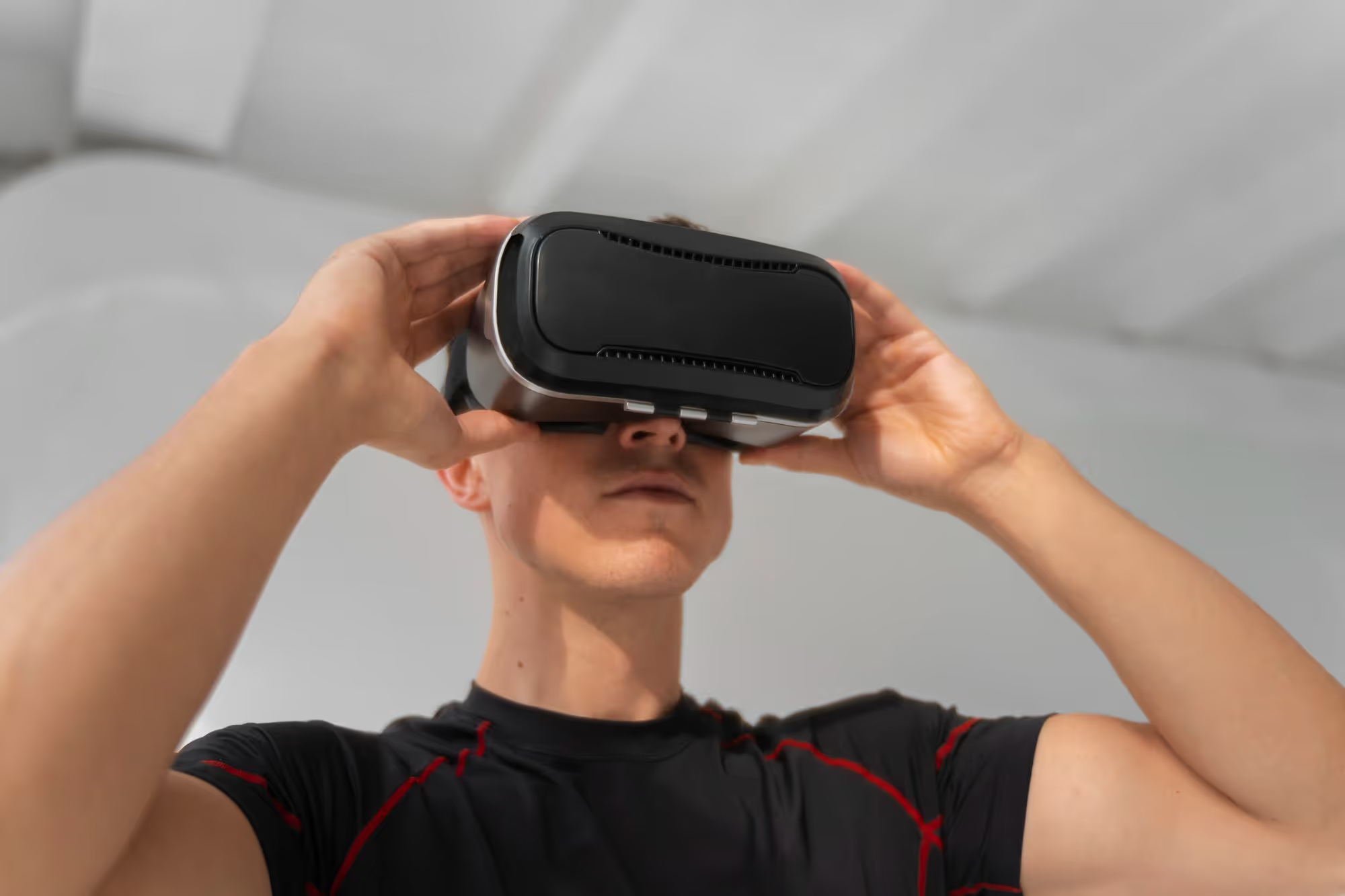
The VR industry continues to evolve rapidly, with several emerging trends that promise to make future headsets even more compelling than current offerings. Understanding these developments can help inform purchasing decisions and set expectations for what's coming next in immersive technology.
Eye tracking and foveated rendering represent one of the most significant technical advances on the horizon for mainstream VR adoption. By tracking where users are looking, headsets can concentrate rendering power on the focused area while reducing detail in peripheral vision, enabling higher visual quality without proportional increases in processing requirements. This technology is already appearing in high-end devices and will likely become standard in mid-range headsets within the next few years, making high-resolution VR more accessible.
Standalone headset performance continues to improve at a remarkable pace, with each generation closing the gap with tethered PC VR systems. Future standalone devices will offer visual quality and processing power that rivals current PC VR, potentially eliminating the need for expensive gaming computers for most users. This democratization of high-quality VR will likely accelerate adoption and expand the audience for immersive experiences significantly.
Mixed reality capabilities are becoming increasingly important, blending virtual elements with the real world through advanced passthrough cameras and depth sensing. This technology enables new types of applications that leverage both physical and virtual spaces, from productivity tools that enhance real-world workspaces to games that transform your living room into fantastical environments. The distinction between VR and AR continues to blur as headsets gain the capability to seamlessly transition between fully immersive and passthrough modes.
— Megan Lewis
Comfort and form factor improvements remain a priority for manufacturers who recognize that widespread adoption requires devices people are willing to wear for extended periods. Future headsets will likely be significantly lighter and more comfortable than current offerings, with some manufacturers pursuing glasses-like form factors that could eventually replace today's bulkier designs. These improvements will make VR more practical for everyday use and reduce the barriers that currently limit how long users can comfortably engage with immersive content.
Final Thoughts
Investing in the right VR headset and accessories can elevate your virtual adventures from simply fun to truly unforgettable experiences that expand what you thought possible in interactive entertainment. Whether you're using the Meta Quest 3 for its convenience and flexibility, the PlayStation VR2 for its stunning visuals and exclusive games, or the Valve Index for its unmatched precision and control, high-quality gear makes every session more comfortable, more immersive, and more engaging. The right combination of hardware not only enhances realism but also improves convenience and helps protect your investment over time — ensuring every VR journey is smooth and uninterrupted.
The VR market in 2024 offers options for every budget and use case, from accessible standalone devices that require no additional hardware to premium PC VR systems that deliver the absolute best in visual fidelity and tracking precision. By understanding your priorities — whether that's ease of use, visual quality, content library, or price — you can select a headset that will provide years of enjoyment and value as the VR ecosystem continues to grow and mature.
Virtual reality is more than just a piece of tech — it's an immersive gateway to experiences that are only limited by your imagination. From exploring fantastical worlds to connecting with friends across distances to learning new skills in ways that traditional media cannot match, VR offers possibilities that continue to expand as the technology evolves. The more care you put into selecting your headset and optimizing your setup, the more rewarding every session will be. Welcome to the future of entertainment — step in and discover what's possible.